Set up your booking page
Choose your hours, call length, screening questions, and reminders, then point a tracked link at your public booking page.
Before you start
Section titled “Before you start”Booking needs a connected Google Calendar. Until one is connected, the Booking page only shows the connect button. See Connect Google Calendar.
-
Open Booking, then the settings
Settings have three tabs: Screening, Availability, and Notifications. None of it shows on your public page.
-
Set your availability
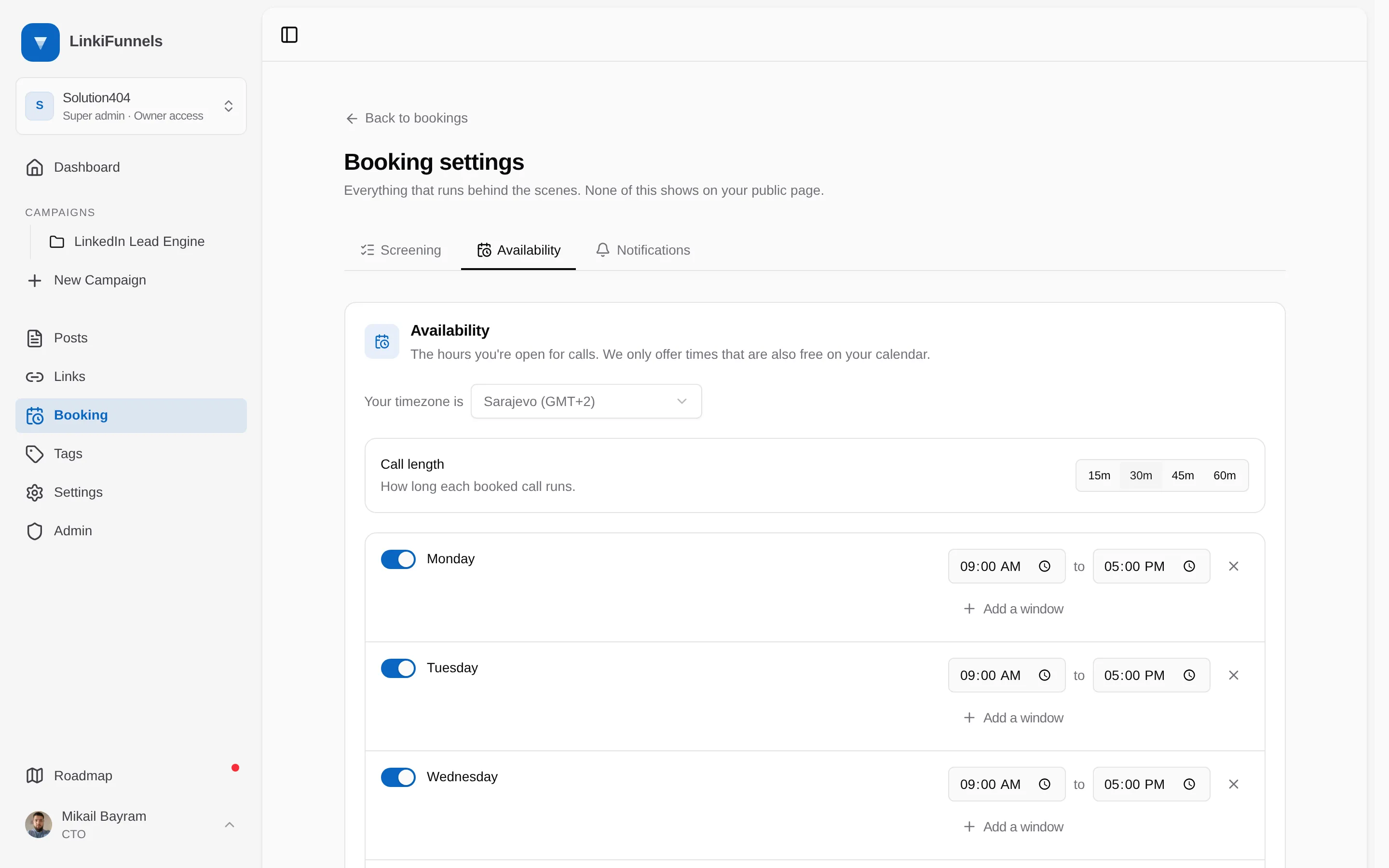
On the Availability tab, pick your timezone, switch each weekday on or off, and add one or more time windows per day. The default is Monday to Friday, 09:00 to 17:00. Choose a call length of 15, 30, 45, or 60 minutes. Only times that are also free in your calendar are offered.
-
Add screening questions, if you want them
Questions run before the visitor picks a time. Types: short text, long text, single choice, multiple choice, yes or no, and number. Mark answers that disqualify. Disqualified visitors see a message you write instead of your calendar.
-
Set reminders and the no-show follow-up
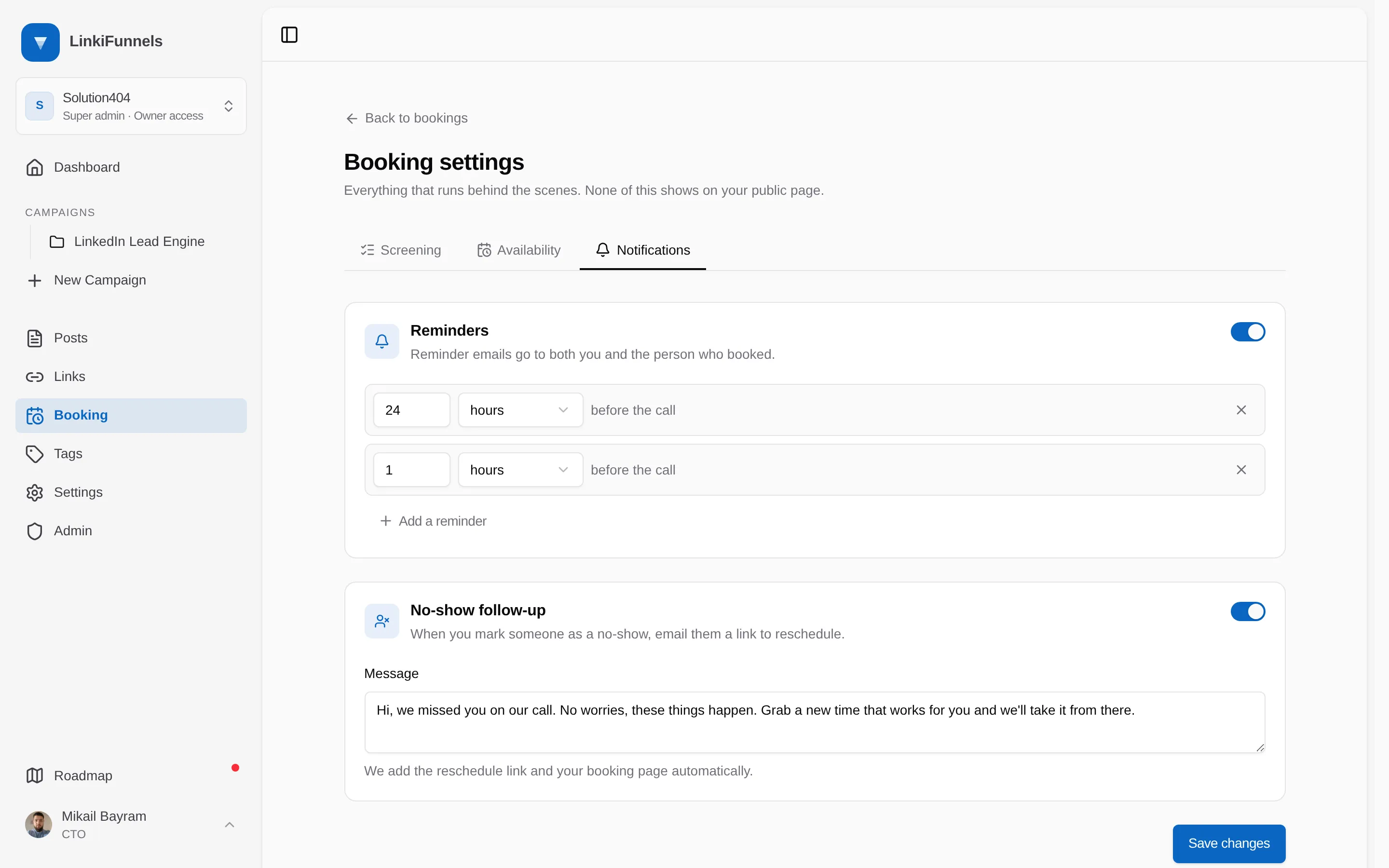
On the Notifications tab. Reminders go to both you and the booker. The defaults are 24 hours and 1 hour before the call; add, change, or remove any of them. The no-show follow-up is the email sent when you mark someone as a no-show, with a link to reschedule.
-
Design the landing page
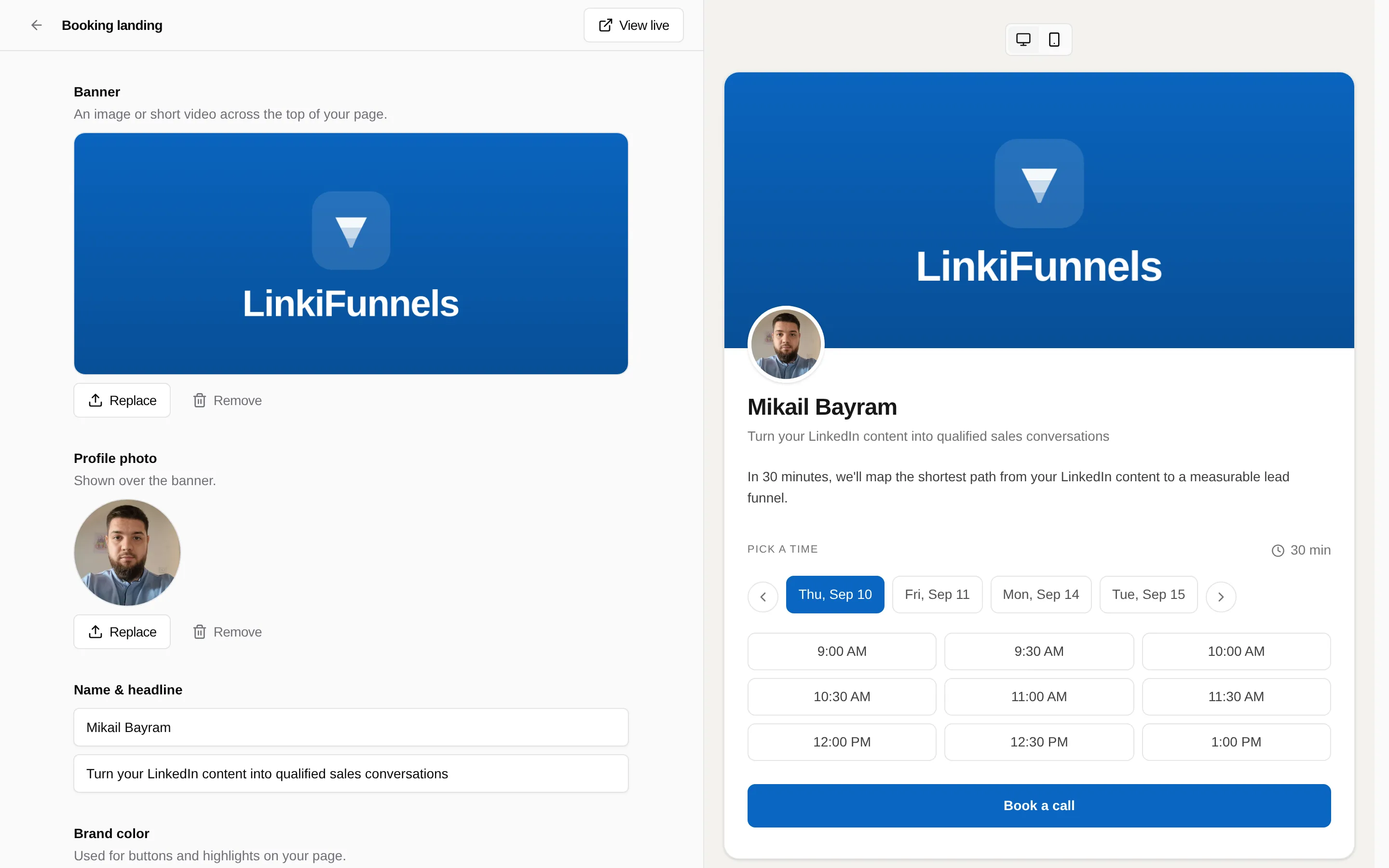
Choose Edit landing from the Booking page. Banner image or video, profile photo, name and headline, brand color, an about section, and client quotes that turn into a carousel after three.
-
Share the page
Your public page lives at
app.linkifunnels.com/book/your-name. Create a tracked link that points at it and put that link in your posts. Bookings then show up on the post and in the campaign funnel as calls booked.
What the visitor sees
Section titled “What the visitor sees”Pick a time from the next 14 days, answer the screening questions, enter a name and email, confirm. They get a calendar invite with the Meet link. Every booking email includes a link to reschedule, which works once.