Read and answer replies
Work through replies on the Inbox page, see what each person did before they wrote, and answer or schedule a reply from your sender address.
The Inbox in the sidebar holds every reply to your campaign emails, every email sent straight to your sender address, and every new email you write. The number next to it counts unread conversations.
-
Pick a conversation
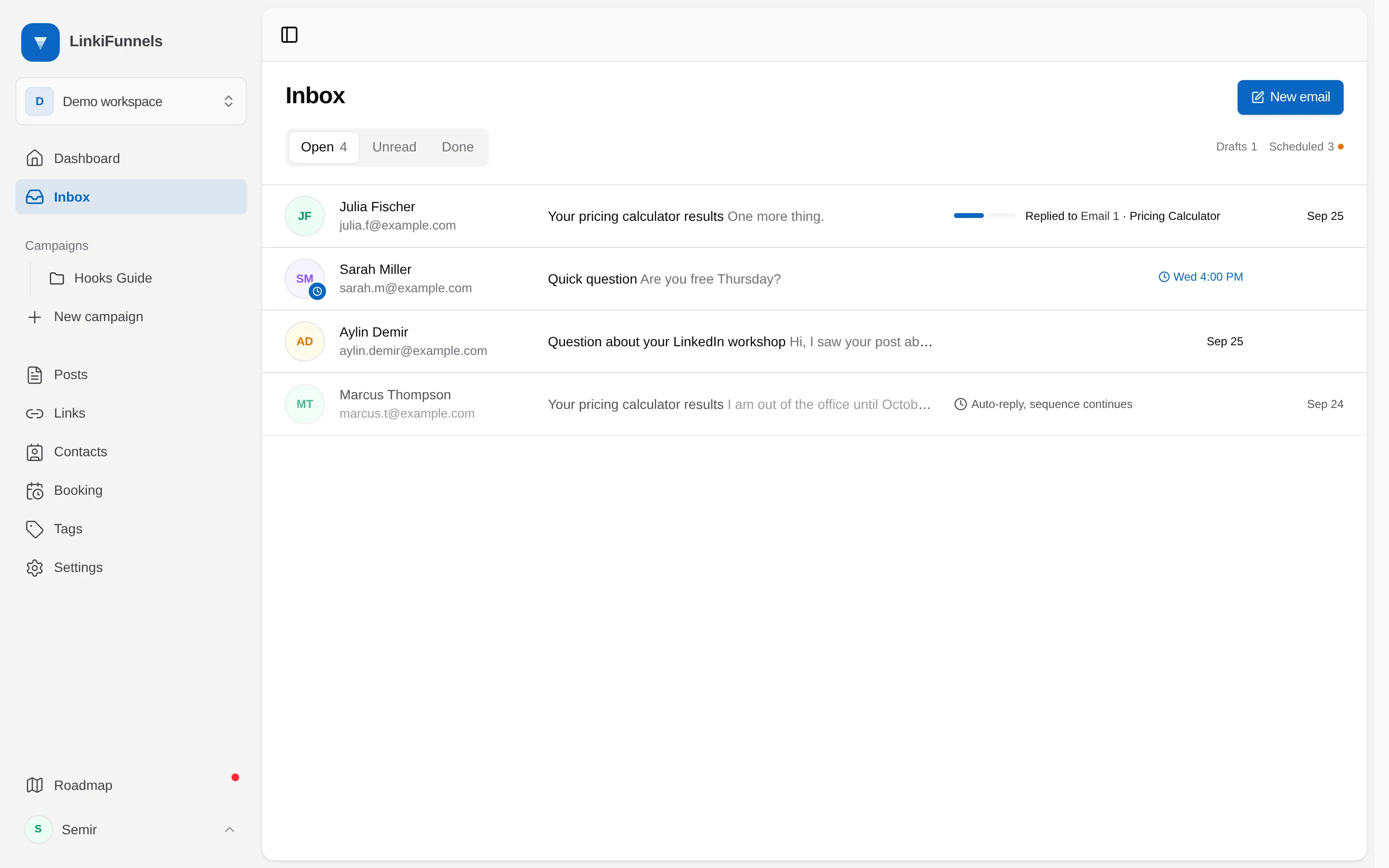
Conversations are newest first, across the full width until you open one. Open (1) holds everything you haven’t marked done, Unread narrows to what you haven’t opened yet. Under each message, a small bar shows which email of the sequence the person answered (2), or Emailed you directly when they wrote without replying to a campaign. Drafts and Scheduled, to the right of the filters, hold the emails you haven’t sent yet.
-
Read it with the context around it
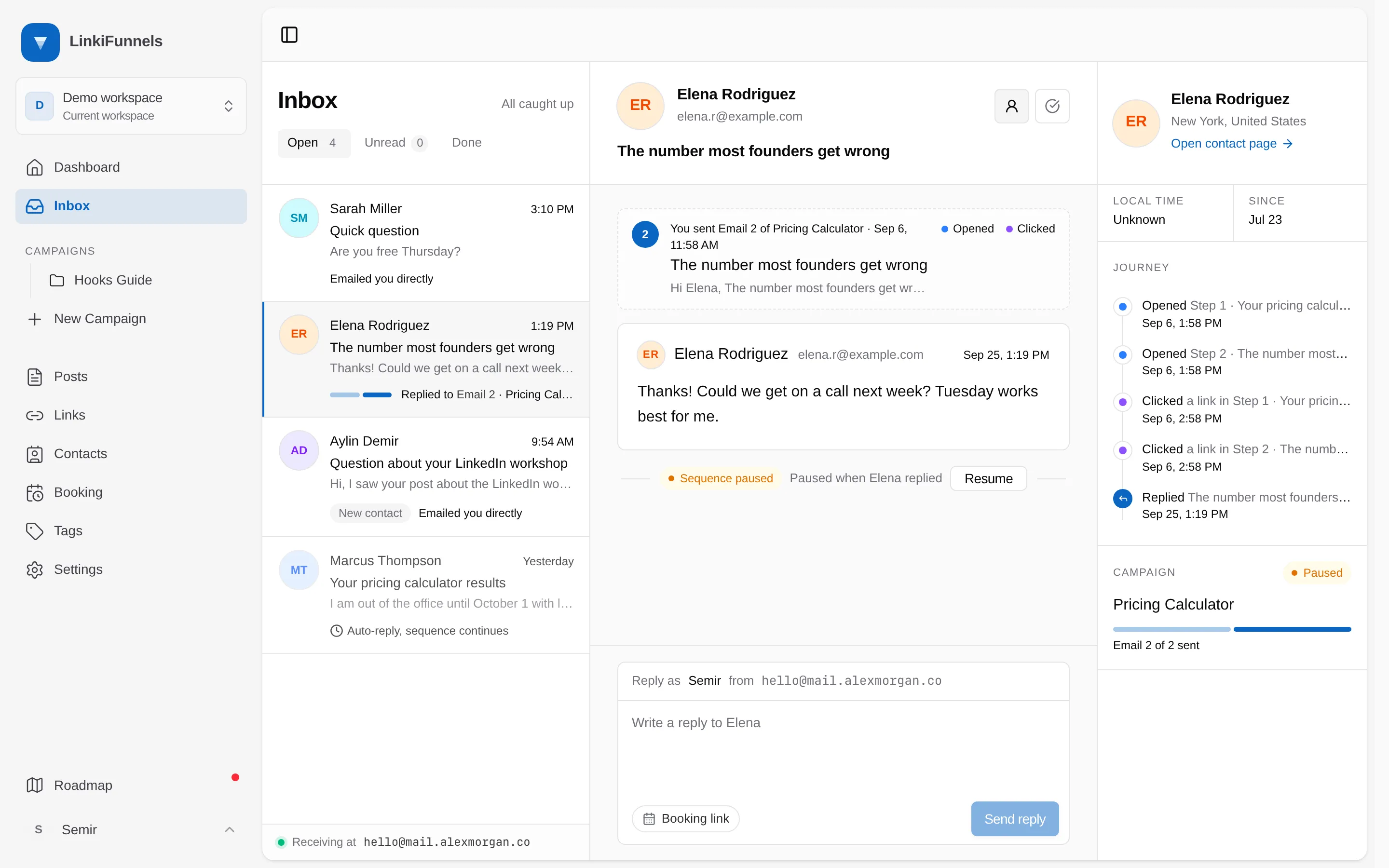
The conversation slides in next to the list. The email they answered sits above their reply as a numbered step (3), with a dot for whether they opened it and clicked in it. Choose the person icon next to their name to open the contact panel with their journey (4): the form they filled, the emails they opened, the links they clicked, and the reply itself. The panel also links to their full contact page.
-
Decide what happens to their sequence
A reply pauses that person’s sequence, so they don’t get a scheduled follow-up after answering you (5). Choose Resume if you want the remaining emails to go out after all. Automatic replies such as out-of-office messages don’t pause anything.
-
Answer
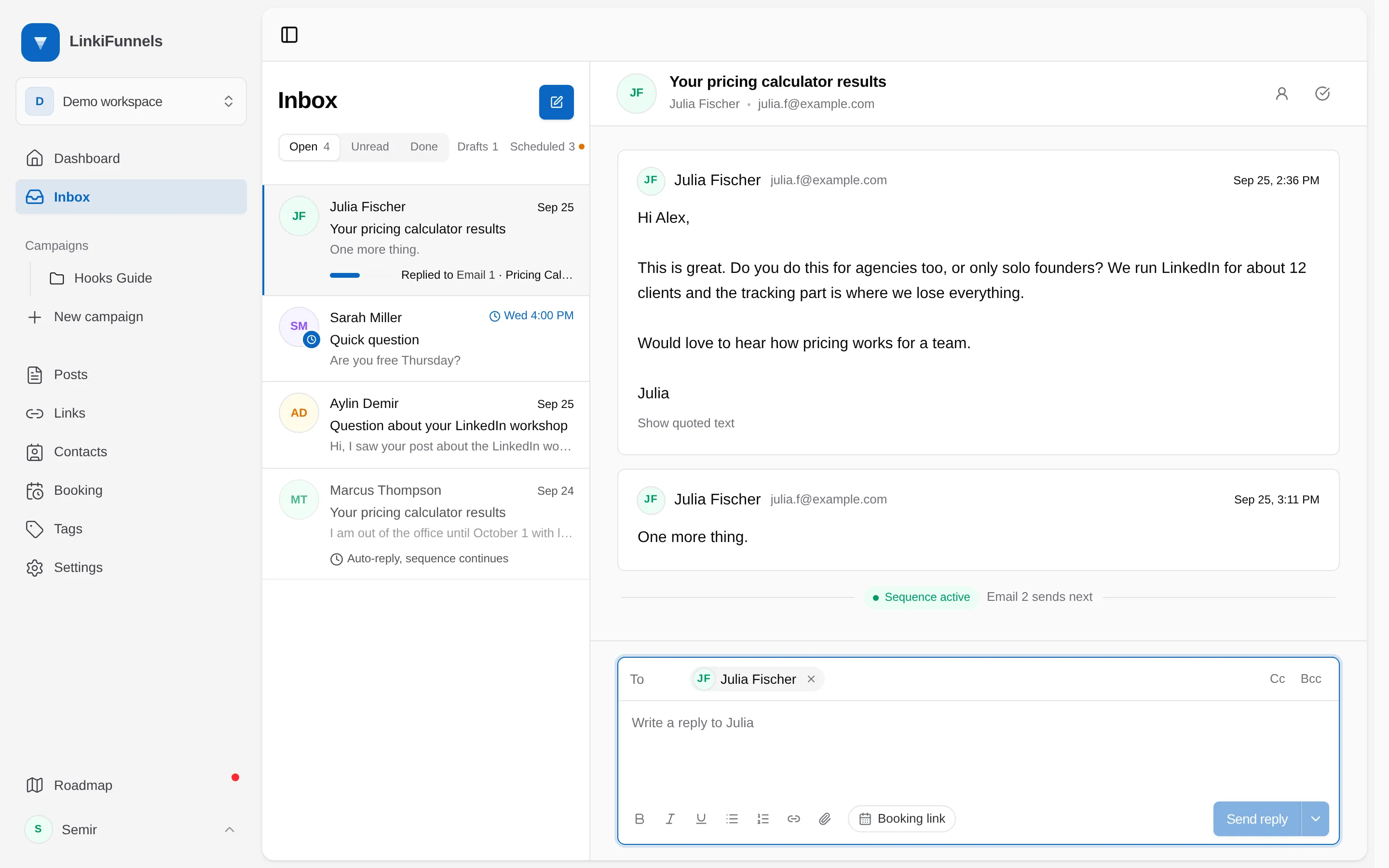
Choose Write a reply to at the bottom to open the reply box. The person you are answering is already in To. Add anyone else in To, Cc, or Bcc (6), the same way as in a new email, up to 50 addresses together. When the latest message had other recipients, Reply all adds them to Cc in one go.
Booking link (7) drops in your booking page link, tagged so a call booked from it counts for the right campaign. Send reply (8) sends it from your sender address, so it lands in the same thread in their mail app. Press Ctrl or Cmd and Enter to send from the keyboard. The arrow next to it (9) schedules the reply instead, see Schedule a reply.
-
Mark it done
The check icon (10) marks it done and moves the conversation to Done. If the person writes again, it comes back to Open by itself.
Who a reply can go to
Section titled “Who a reply can go to”- Suppressed addresses are blocked. Someone who unsubscribed, bounced, or marked your email as spam shows in red with the reason, and the reply can’t be sent until you remove them.
- Only new addresses count toward the daily limit. Replying to people already on the conversation is never blocked. Each address you add that wasn’t on it before, Bcc included, counts toward the workspace’s daily sending limit. At the limit, remove the new addresses to send now, or schedule the reply.
- A message that arrives while you write stops the send. If someone else writes in the conversation before you send, the reply isn’t sent and you see “A new message from … arrived after this reply was written. Check the recipients and send again.” Look at who the reply goes to and send it again.
Schedule a reply
Section titled “Schedule a reply”Choose the arrow next to Send reply and pick Tomorrow morning, Tomorrow afternoon, Monday morning, or a date and time in your own time zone. The scheduled reply sits at the bottom of the conversation with its send time, and the conversation shows a clock in the list. It is also listed under Scheduled.
Before it goes out, Edit loads it back into the reply box. It still goes out as it was until you send or schedule it again. Cancel deletes it. A scheduled reply is held instead of sent for the same reasons as a held new email, including when an address you added is suppressed or goes over the daily limit. A held reply shows Reschedule, Edit, and Cancel.