What a campaign is
How campaigns tie posts, links, leads, calls, and emails together, and what happens when you move or archive things.
A campaign is the unit you plan and measure by: a launch, a client, an offer, a lead magnet. It holds posts, the tracked links inside those posts, the leads and calls those links produced, and an email sequence that follows up with the leads.
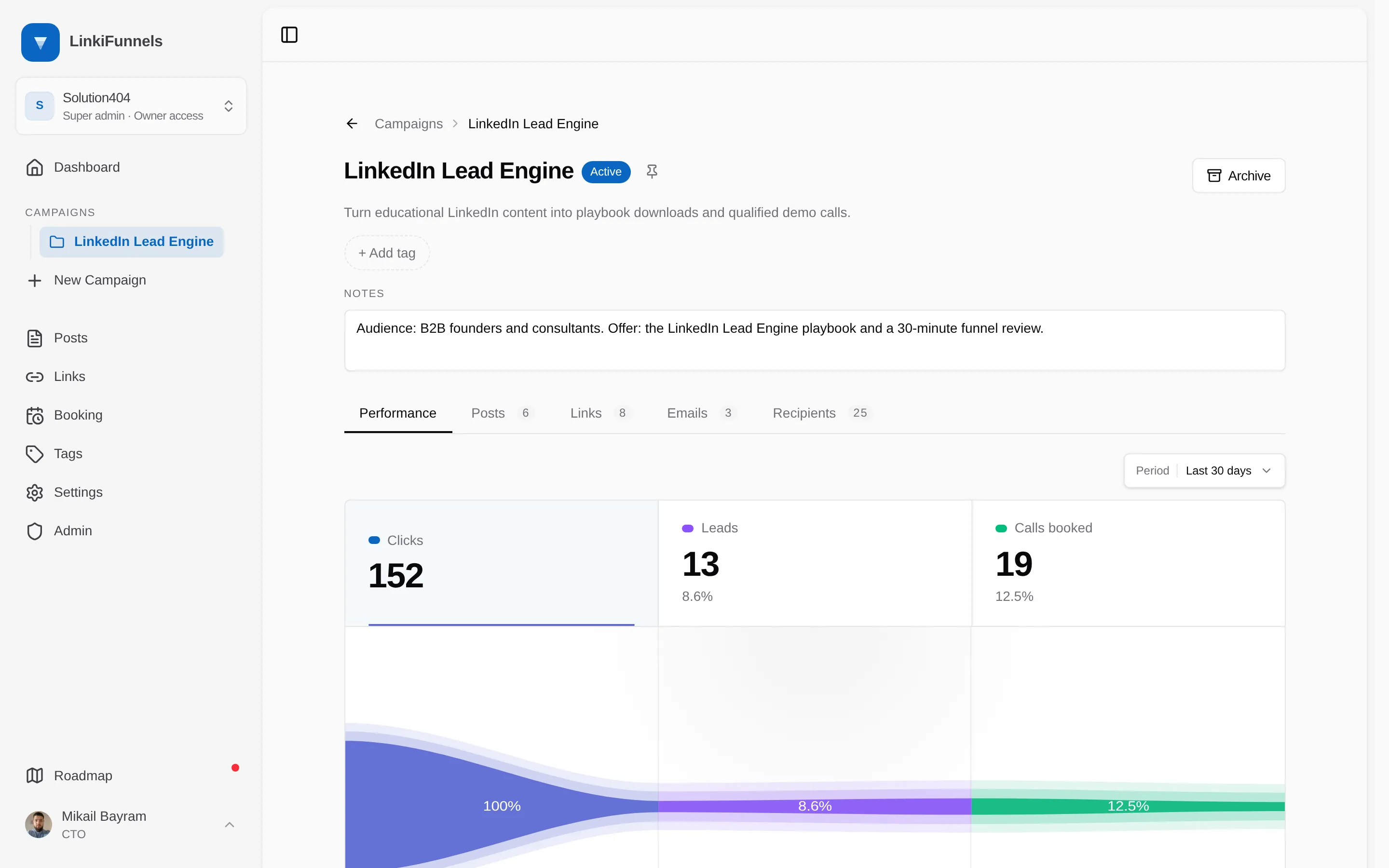
What a campaign holds
Section titled “What a campaign holds”| Tab | Contains |
|---|---|
| Performance | Clicks, leads, and calls booked over time, with conversion rates between the stages and breakdowns by device, browser, source, and country |
| Posts | Every post assigned to the campaign, published or draft |
| Links | Every tracked link on those posts |
| Emails | The email sequence and its status |
| Recipients | Who is in the sequence and where they are in it |
Campaign tags are inherited by the posts and links inside it.
Emails are sent from here, not from a separate mailing list. The Emails tab holds the campaign’s sequence, and the leads its links produce are the recipients. See Follow up with emails from a campaign.
Moving posts between campaigns
Section titled “Moving posts between campaigns”From a post you can Move it to another campaign or Copy it as a new draft.
- Move takes the post and its links along. Existing clicks, leads, sales, and revenue stay on the same links and move with them.
- Copy leaves the original in place. The copy gets fresh short links and starts from zero. You choose, per link, whether the copy points at the same destination or a new one.
Archiving
Section titled “Archiving”Archiving a campaign hides it from the campaign list and pickers and pauses its email sequence. Posts, links, and their numbers are kept. Restoring the campaign brings it back as active; the sequence stays paused until you resume it.