Set up with an AI builder
Hand Lovable, v0, Bolt, Replit, Cursor, or any tool that takes a prompt a set of instructions and a token, and let it install conversion tracking for you.
If an AI tool built your site, the same tool can connect it to LinkiFunnels. You paste one set of instructions into its chat, hand over a token when it asks, and it decides what your site needs: the click id cookie, a server call for signups and sales, a redirect for buttons that leave the site, or a campaign enrollment for signups that never clicked a link.
-
Open Connect with AI
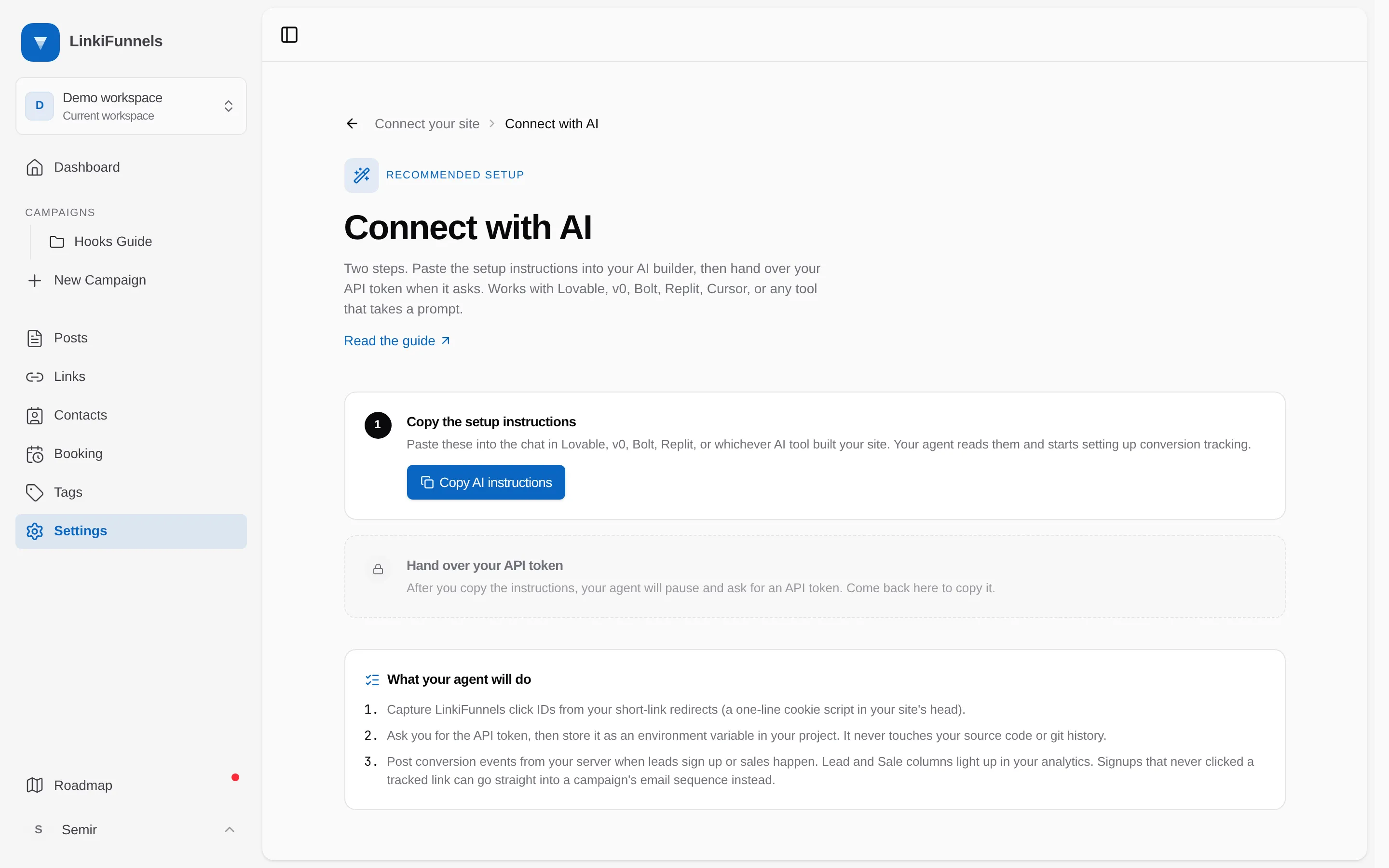
Go to Settings, then Connect your site. Under Advanced tracking, choose Set up with AI on the Built with AI? card.
-
Copy the instructions
Choose Copy AI instructions and paste the result into the chat of Lovable, v0, Bolt, Replit, Cursor, or whichever tool you use. The first thing the instructions tell the agent is to ask you for a token, and never to write it into source files.
-
Hand over the token
When the agent asks, come back to the same page and choose Copy token. Paste it into the chat. The agent stores it as
LINKIFUNNELS_API_TOKENin your project’s environment or secrets and references it from there. The token stays on the page until you leave it, and every copy of the instructions on that visit uses the same token. -
Answer the agent’s questions
The instructions make the agent confirm the shape of your site before writing code. Expect it to ask whether you have a backend, where signups and sales happen, whether any button sends visitors off-site, and which campaign should receive signups that arrive without a click. Answer honestly; the guide tells the agent not to invent a conversion event it cannot observe.
-
Check the result
Open one of your tracked links, land on your site, and sign up or submit the form. The lead appears on the post’s performance page within a few seconds. For a sale, run a test purchase and check the Revenue stage.
What the agent will do
Section titled “What the agent will do”- Store the click id from
?lf_cid=in a first-party cookie namedlf_cidfor 90 days and remove it from the address bar, unless the LinkiFunnels pixel is already on the site, in which case it skips this step. - Post leads and sales to the conversions API from your server or a serverless function, never from the browser.
- For sales confirmed by a payment webhook from Stripe, Paddle, or Lemon Squeezy, carry the click id through the checkout’s metadata or the user record, because the webhook itself carries no cookie.
- For buttons that leave the site, add a redirect on your domain that records the lead first.
- For signups that never clicked a tracked link, add the contact to a campaign so they still receive the email sequence.
If the pixel is already installed
Section titled “If the pixel is already installed”The pixel records a lead whenever a form with an email is submitted. If the agent also posts event: "lead" from the server for the same signup, the contact gets two leads for one click. The instructions tell the agent to pick one: leave leads to the pixel and post only sales from the server, which is the default, or record leads server-side and put data-lf-ignore on the signup form so the pixel leaves it alone.
Starting over
Section titled “Starting over”A token minted this way is named AI agent with the date in Manage tokens. If it ends up in a chat transcript, a log, or a committed file, revoke it there and copy the instructions again for a fresh one. See Authenticate API requests.