Invite your team
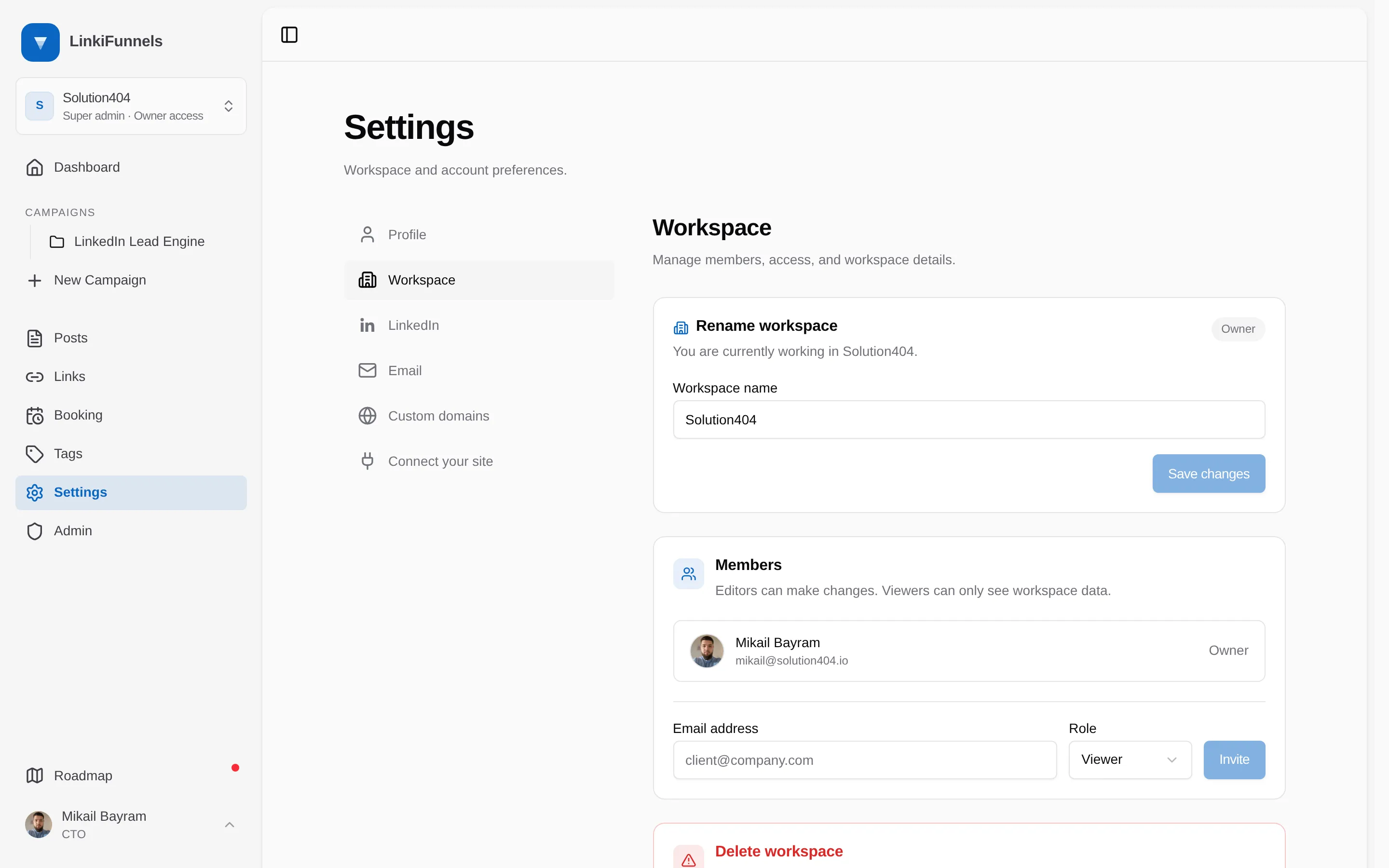
Add people to a workspace as editors or viewers, change roles, and remove members.
Only workspace owners can invite, change roles, or remove members.
| Role | Can |
|---|---|
| Owner | Everything, including members, workspace settings, and deleting the workspace |
| Editor | Create and edit posts, links, campaigns, emails, domains, and booking settings |
| Viewer | Read everything, change nothing |
You can invite editors and viewers. Owner is the role of whoever created the workspace.
-
Open Settings, then Workspace
Under Members, enter the person’s email address, choose Viewer or Editor, and choose Invite. They receive an email with a link.
-
They accept within 7 days
The link shows the workspace name, the role, and who invited them. If they already have a LinkiFunnels account they sign in and join. If not, they sign up and land in your workspace directly. After 7 days the link stops working and you send a new one.
Change a role or remove someone
Section titled “Change a role or remove someone”On the same page, change the role from the member’s row or remove them. Removing a member does not delete anything they created. Owners cannot be edited or removed.