Verify your sending domain
Add the DNS records that authorize LinkiFunnels to send campaign emails from your domain, so they land in the inbox.
Campaign emails are sent from your own domain, for example hello@yourcompany.com, never from a LinkiFunnels address. That takes a one-time DNS setup. You can write and preview emails before this is done, but nothing sends until the domain is verified.
Before you start
Section titled “Before you start”You need access to the DNS settings for your root domain. If someone else manages DNS, the Download records button in step 2 gives you a file to send them.
-
Add your domain
Open Settings, then Email. Enter your root domain without
www, for exampleyourcompany.com, and choose the sending region, United States or Europe. The region cannot be changed later. Choose Set up domain.LinkiFunnels sends from a dedicated subdomain,
send.yourcompany.com, so the reputation of your main domain is not affected, while the visible From address stays onyourcompany.com.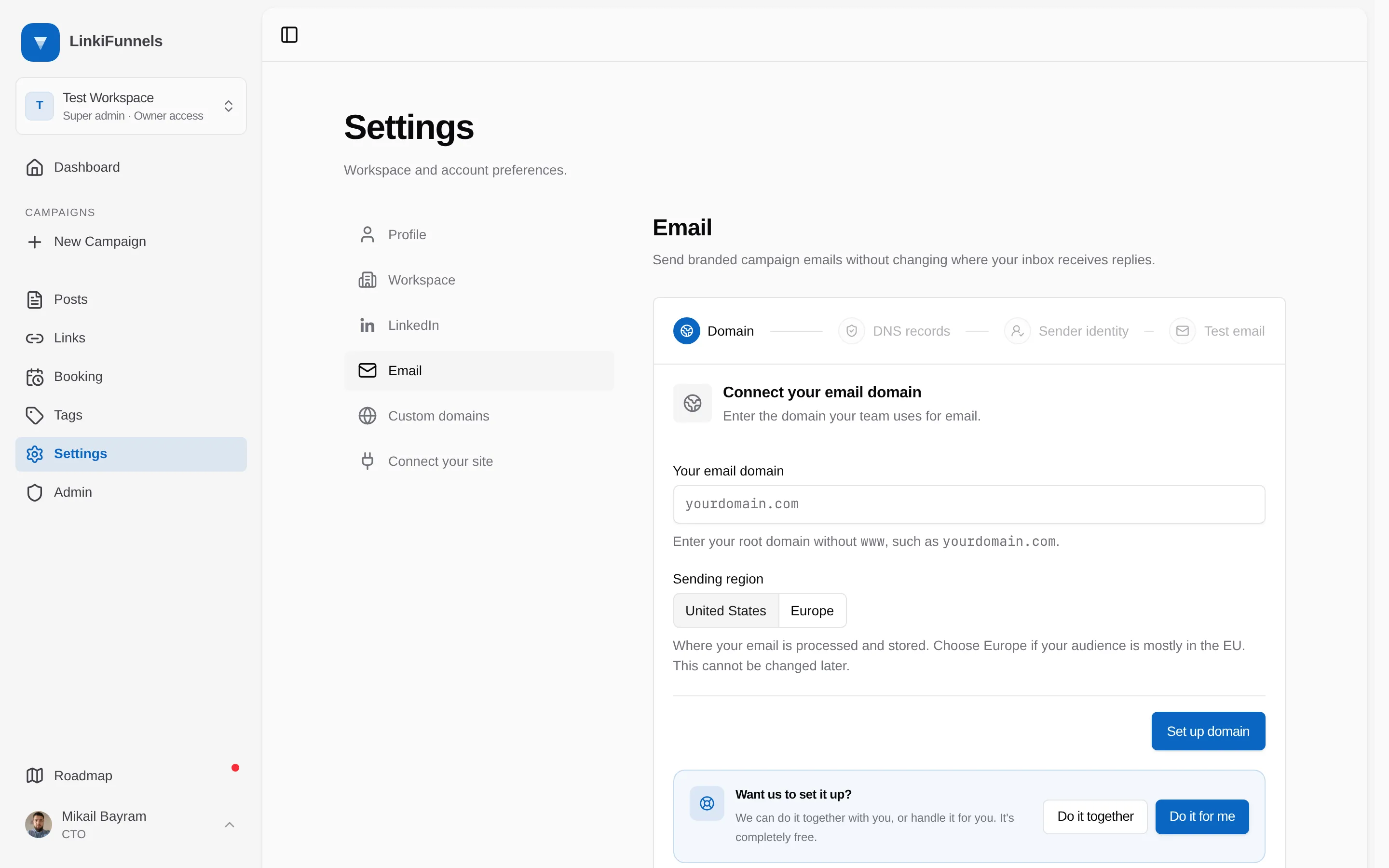
-
Add the DNS records
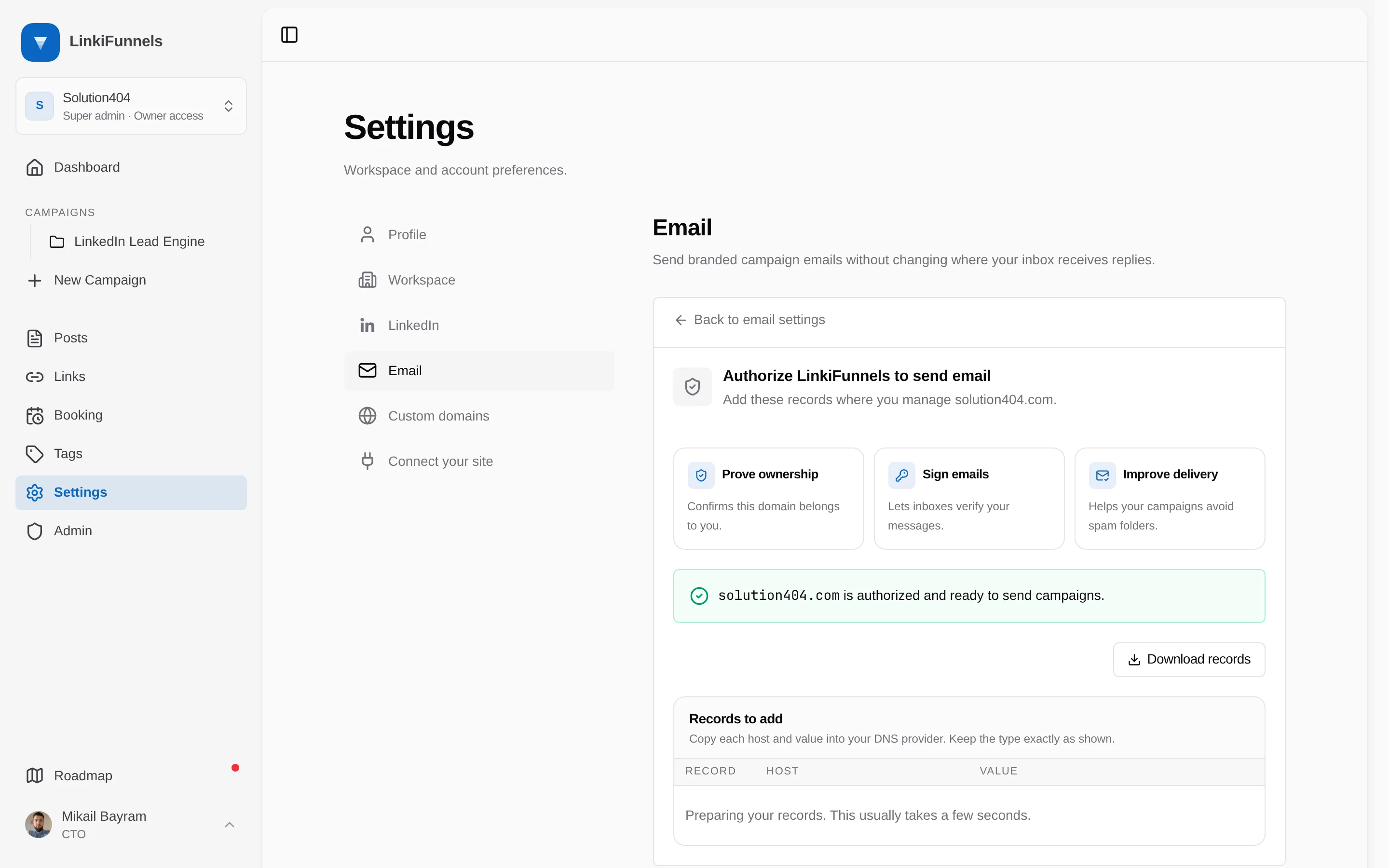
The DNS records step lists the records to add: an SPF record and two MX records on
send.yourcompany.com, a DKIM record, a DMARC record if your domain has none, and a tracking CNAME. Each host and value is click-to-copy. Keep the type exactly as shown.Choose Download records for a zone file you can import in one go or hand to whoever manages DNS.
-
Wait for verification
LinkiFunnels checks the records every minute at first, then less often, for up to 24 hours. Most domains verify within a few minutes; DNS changes can take a few hours to spread. Choose Check setup to check immediately. You get an email when the domain is verified, or if the checks stop after 24 hours.
-
Continue to the sender identity
Once verified, the page moves on to Set your sender identity.
Troubleshooting
Section titled “Troubleshooting”Records not found yet
Section titled “Records not found yet”The message “Records not found yet” after Check setup means at least one record is missing or has a typo. Compare each host and value with the table. Common causes: the provider added your domain to the host a second time, or a TXT value was pasted with the surrounding quotes.
Checks stopped after 24 hours
Section titled “Checks stopped after 24 hours”Automatic checking stops after a day. Fix the records, then choose Check setup to start verification again.
Do it together
Section titled “Do it together”The Email settings page has a Want us to set it up? panel. Choose Do it together to email support or Do it for me to open the chat. It is free.