Connect Luma
Count registrations for your Luma events as leads on the LinkedIn post that sent each guest.
Running webinars or events on Luma? Once Luma is connected, every registration that came through one of your tracked links shows up as a lead on the post that drove it, next to its clicks.
Connect your calendar
Section titled “Connect your calendar”-
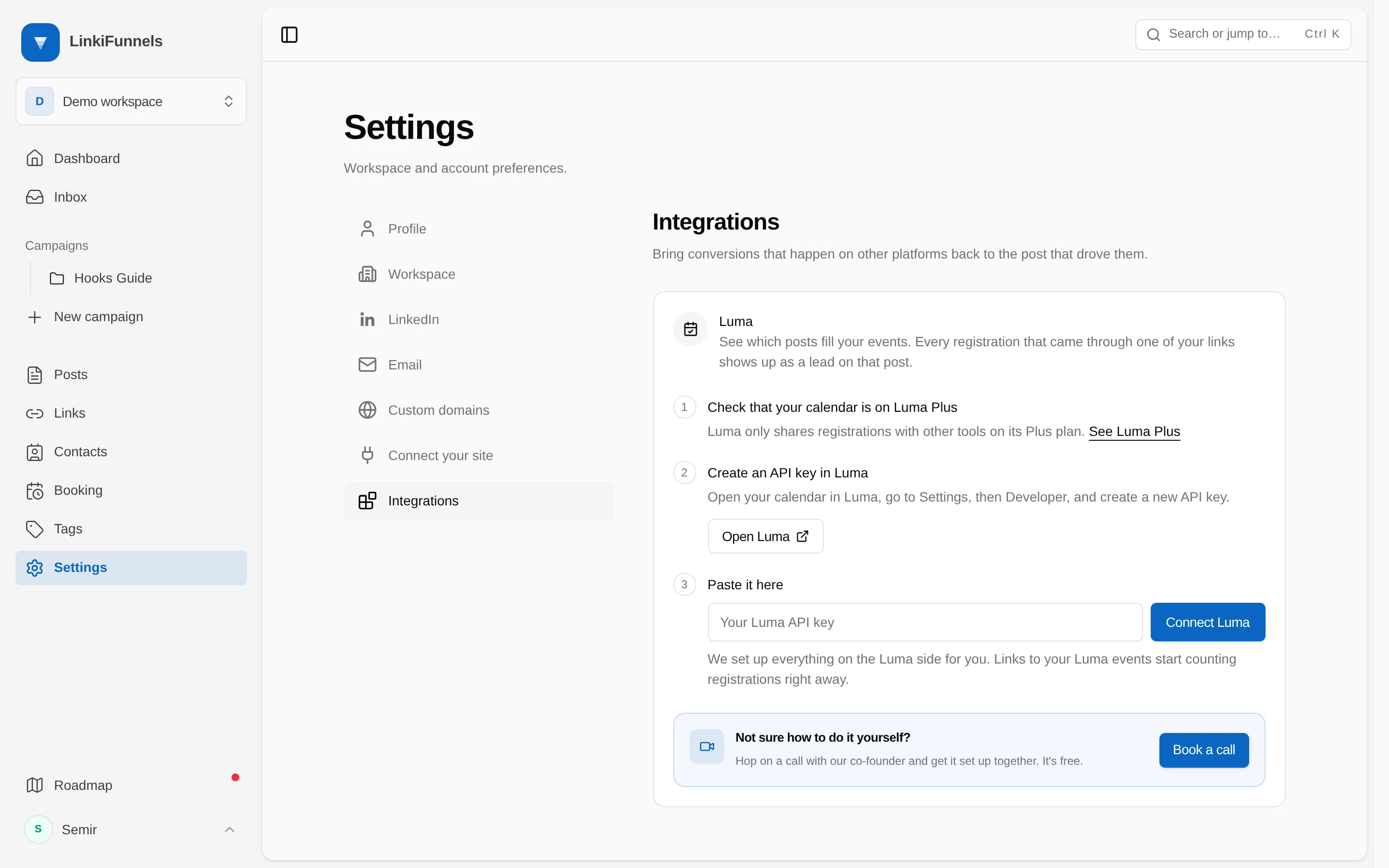
Open Settings, then Integrations
-
Create an API key in Luma
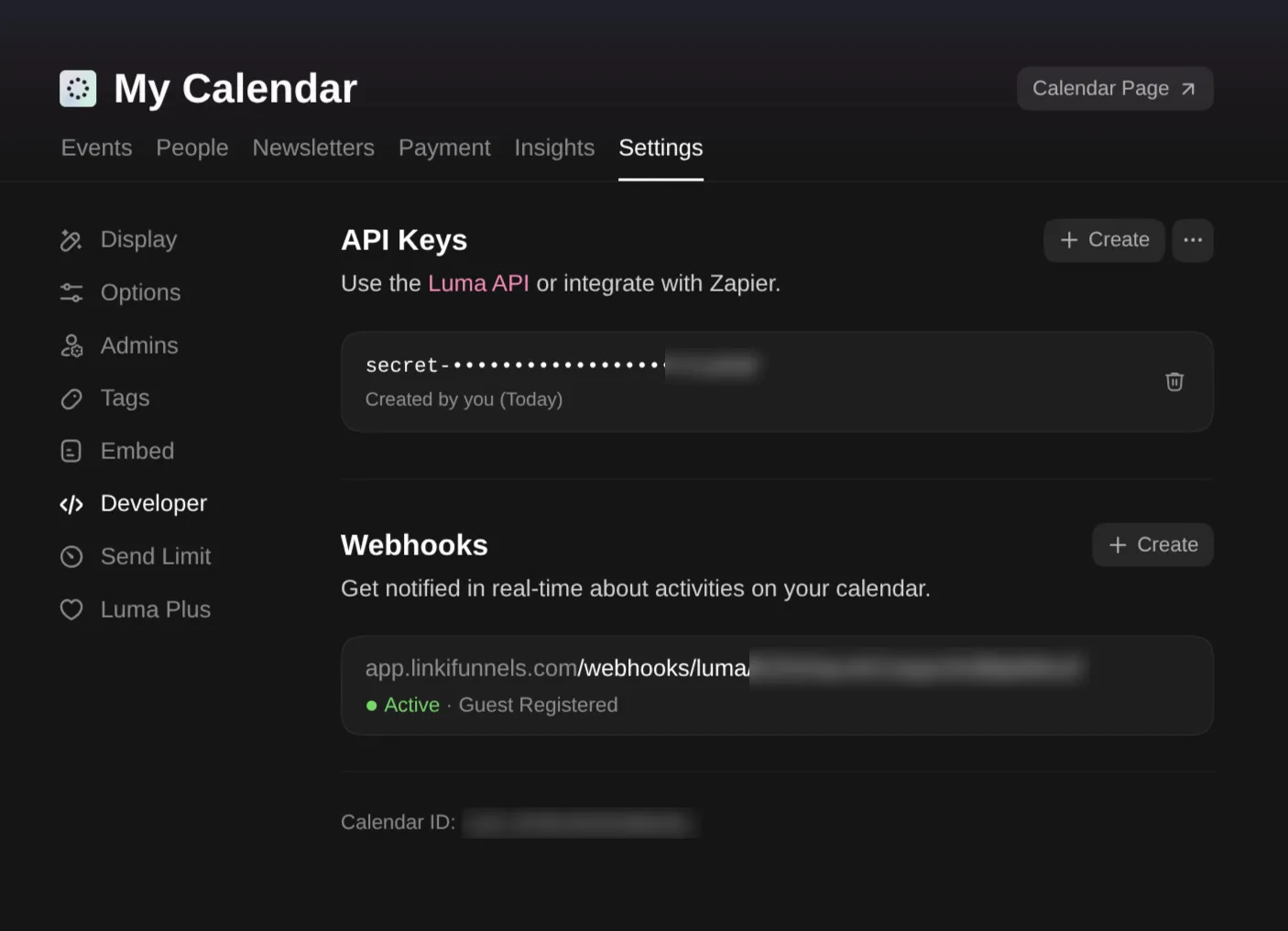
Choose Open Luma (1). In Luma, open the calendar your events are on, go to Settings, then Developer, and choose Create next to API Keys.
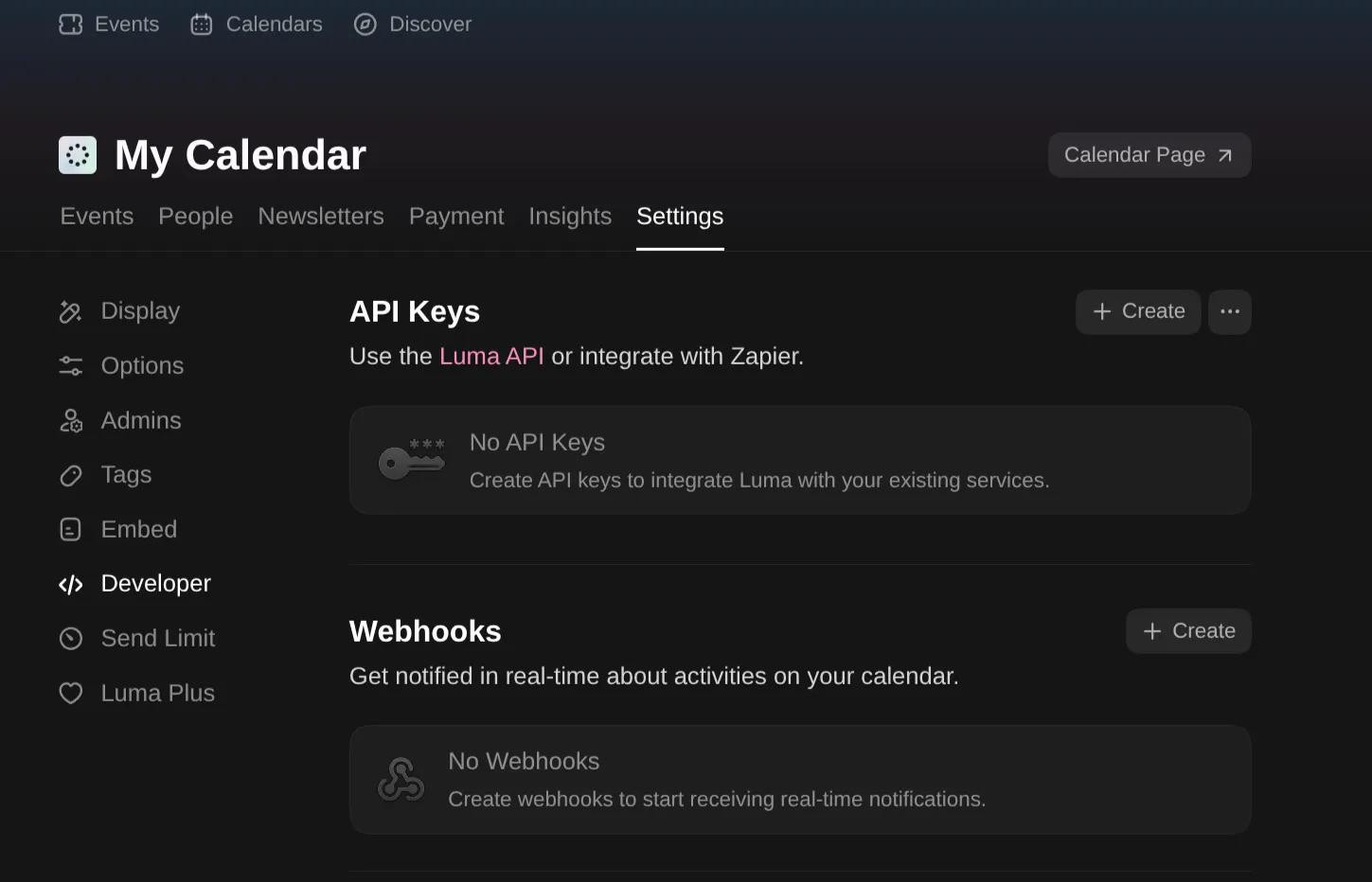
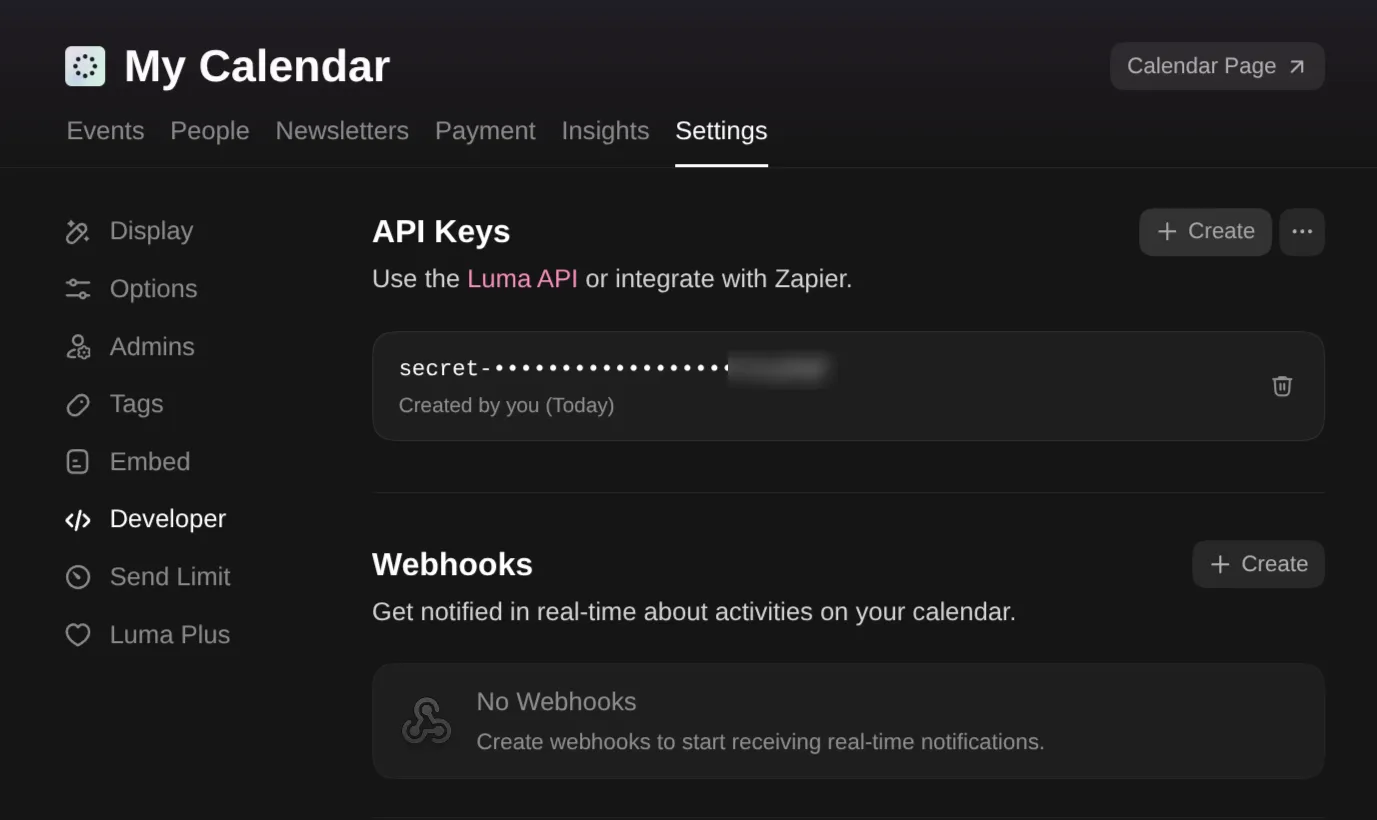
There is no dialog: the new key appears in the list right away. Copy it.
-
Paste the key and choose Connect Luma
Paste the key into the field (2) and choose Connect Luma (3). LinkiFunnels sets up everything on the Luma side for you. You do not need to create a webhook yourself.
-
Done
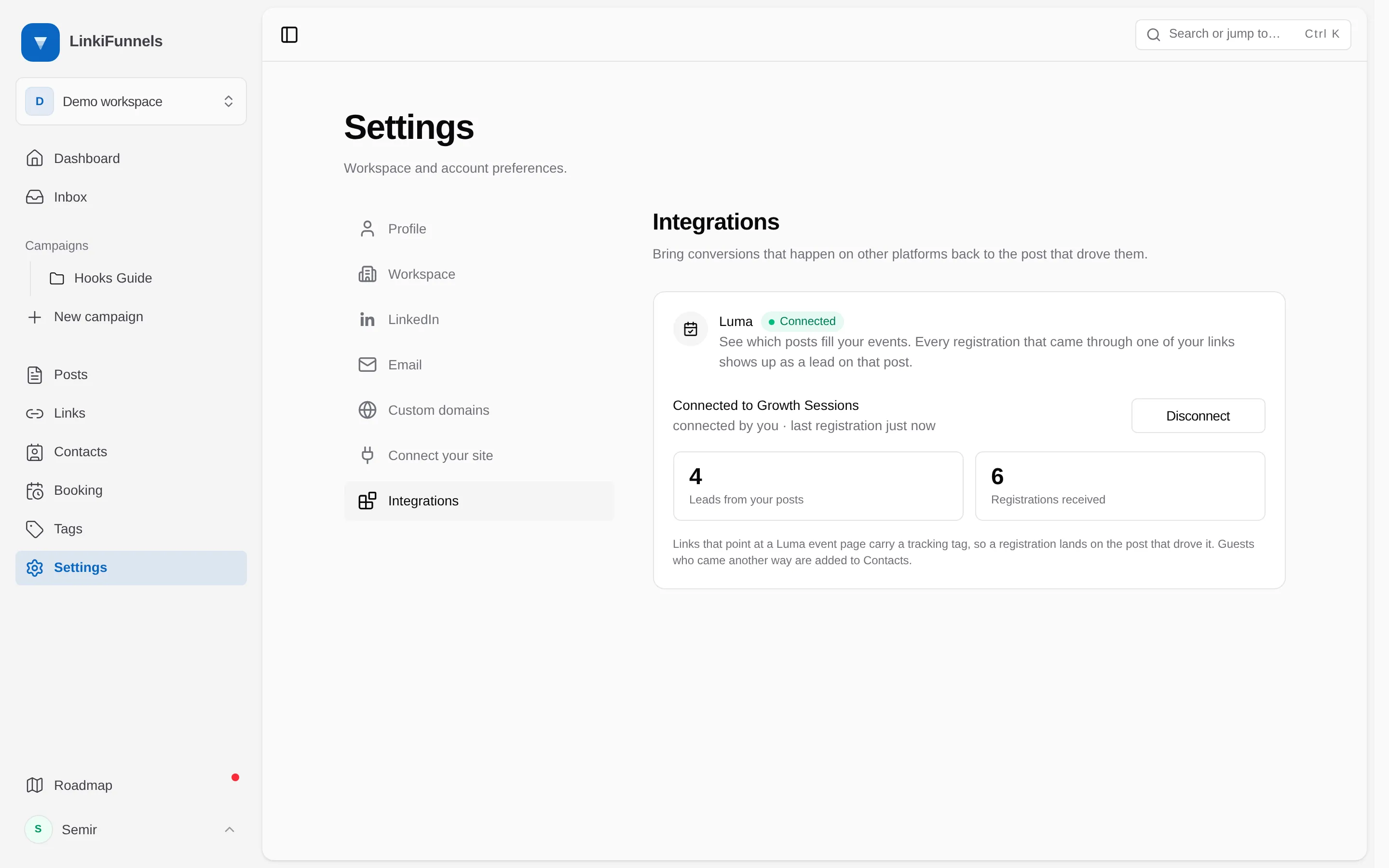
The card shows which calendar is connected, how many registrations came from your posts, and how many registrations arrived in total.
In Luma, the Webhooks section on the same Developer tab now lists the LinkiFunnels webhook as Active for Guest Registered. Leave it there; LinkiFunnels manages it for you.
Link to your event
Section titled “Link to your event”Create a tracked link whose destination is your Luma event page, for example luma.com/your-event, and use it in your post. LinkiFunnels recognizes Luma pages and confirms that registrations through the link will count as leads.
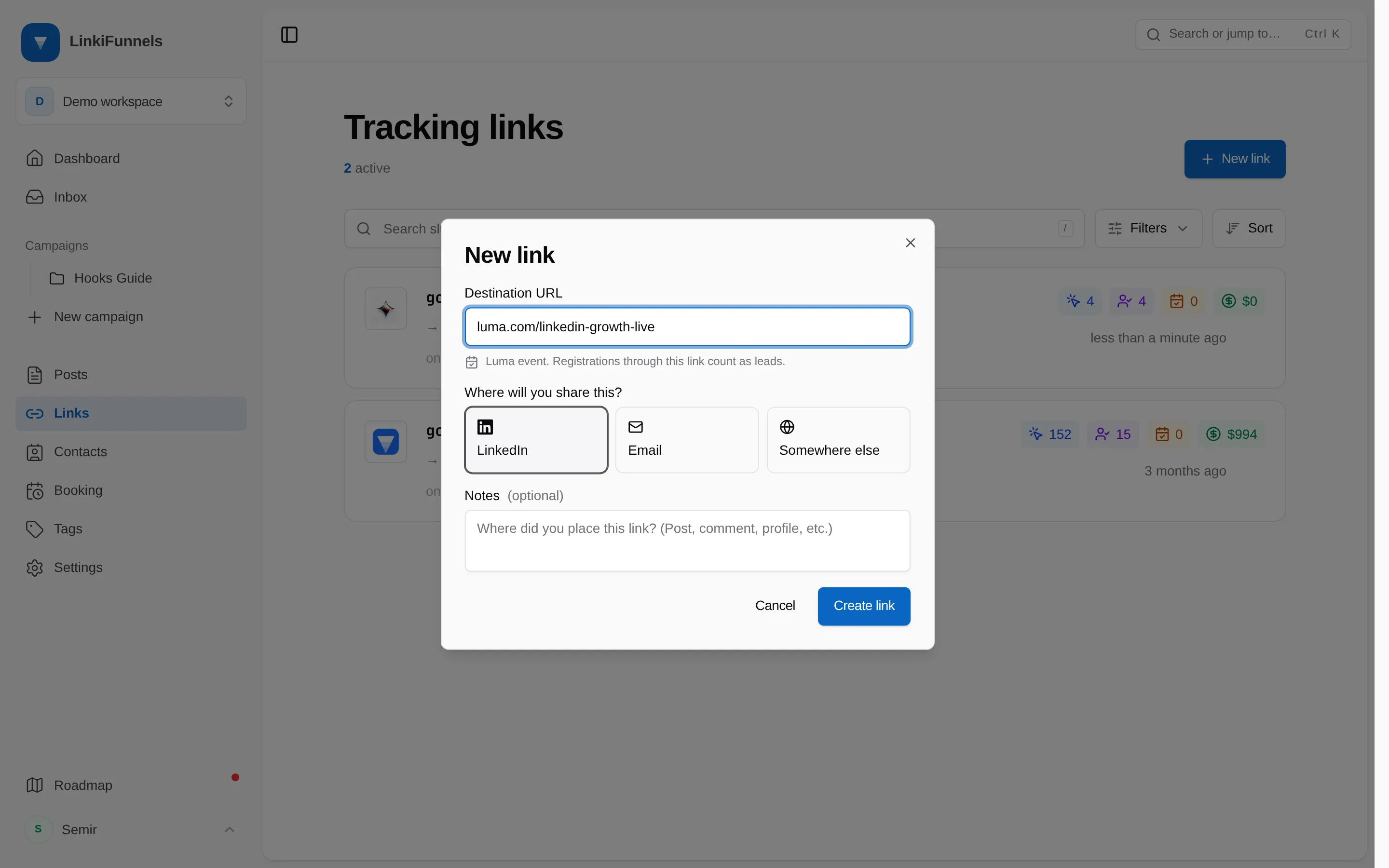
Links to lu.ma are saved as luma.com, which is where Luma now lives. Links you created before connecting Luma work too. There is nothing to recreate.
What happens when someone registers
Section titled “What happens when someone registers”| The guest | What you see in LinkiFunnels |
|---|---|
| Clicked your tracked link and registered | A lead on that link and its post, named after the event. It counts in the post’s funnel like any other lead. |
| Registered another way | A contact, without a lead. Nothing is attributed to a post. |
Either way the contact shows Came in via Luma with the event name, and Registered on Luma in their activity.
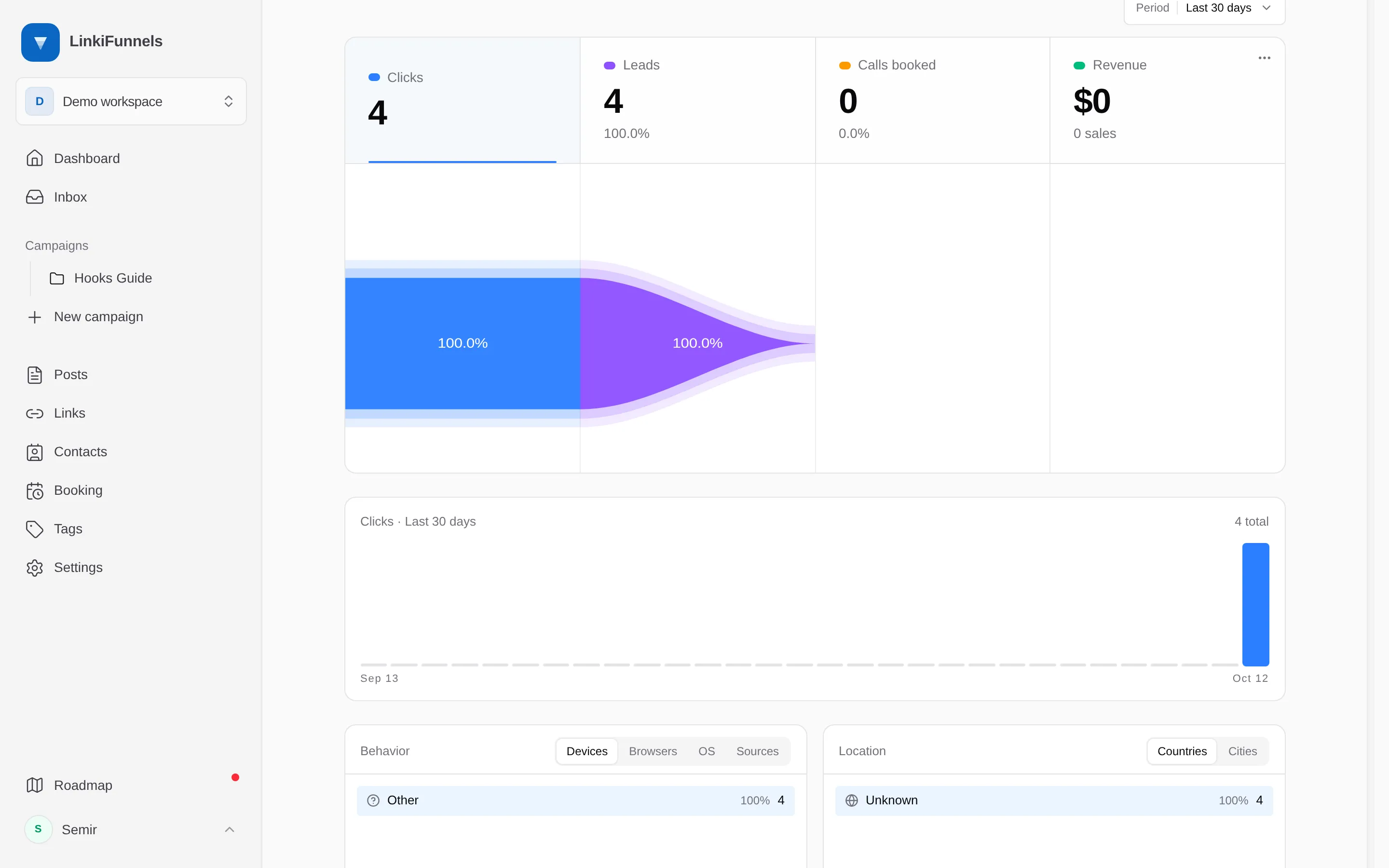
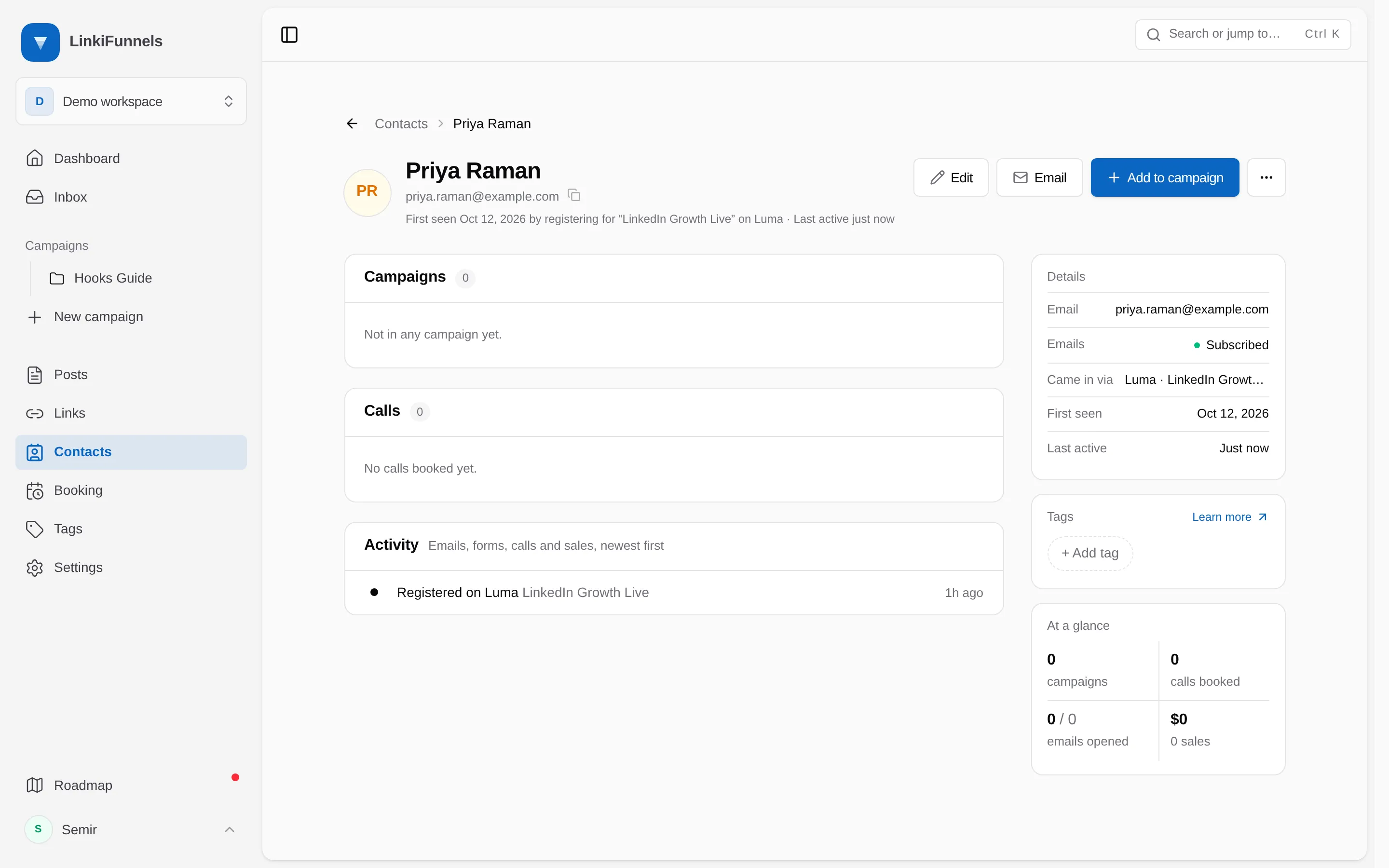
A guest who registers twice, or a registration Luma sends more than once, is counted once.
How the tracking works
Section titled “How the tracking works”When someone opens your link, LinkiFunnels adds a tracking tag to the Luma address in utm_content. Luma keeps it with the registration and sends it back, so the registration is matched to the exact click and post. If your link already uses utm_content, the tag goes into utm_term instead.
You will see these tags in Luma’s own event insights under utm_content. That is expected.
Good to know
Section titled “Good to know”- Registrations after connecting. Luma sends registrations from the moment you connect. Earlier registrations are not imported.
- Same visit. A guest is matched when they register from your link. Someone who comes back later by typing the address or opening a forwarded link is added as a contact without a lead.
- Event pages, not calendar pages. Link straight to the event. A guest who opens your calendar page and clicks into an event may lose the tracking tag.
- Luma on your own site. Registrations through a Luma checkout button embedded on your website are not matched to posts.
- One calendar per workspace. Connect the calendar your events are hosted on.
Disconnect
Section titled “Disconnect”On the Integrations page, hold Disconnect. LinkiFunnels removes the webhook from Luma and stops receiving new registrations. Leads and contacts you already have stay.