Create your first tracked link
Turn any URL into a short link that records every click and ties it back to the post it appears in.
A tracked link is a redirect on go.linkifunnels.com, or on your own domain once you connect one. Someone clicks it, LinkiFunnels records the click and forwards them to your destination.
-
Open Links and choose New link
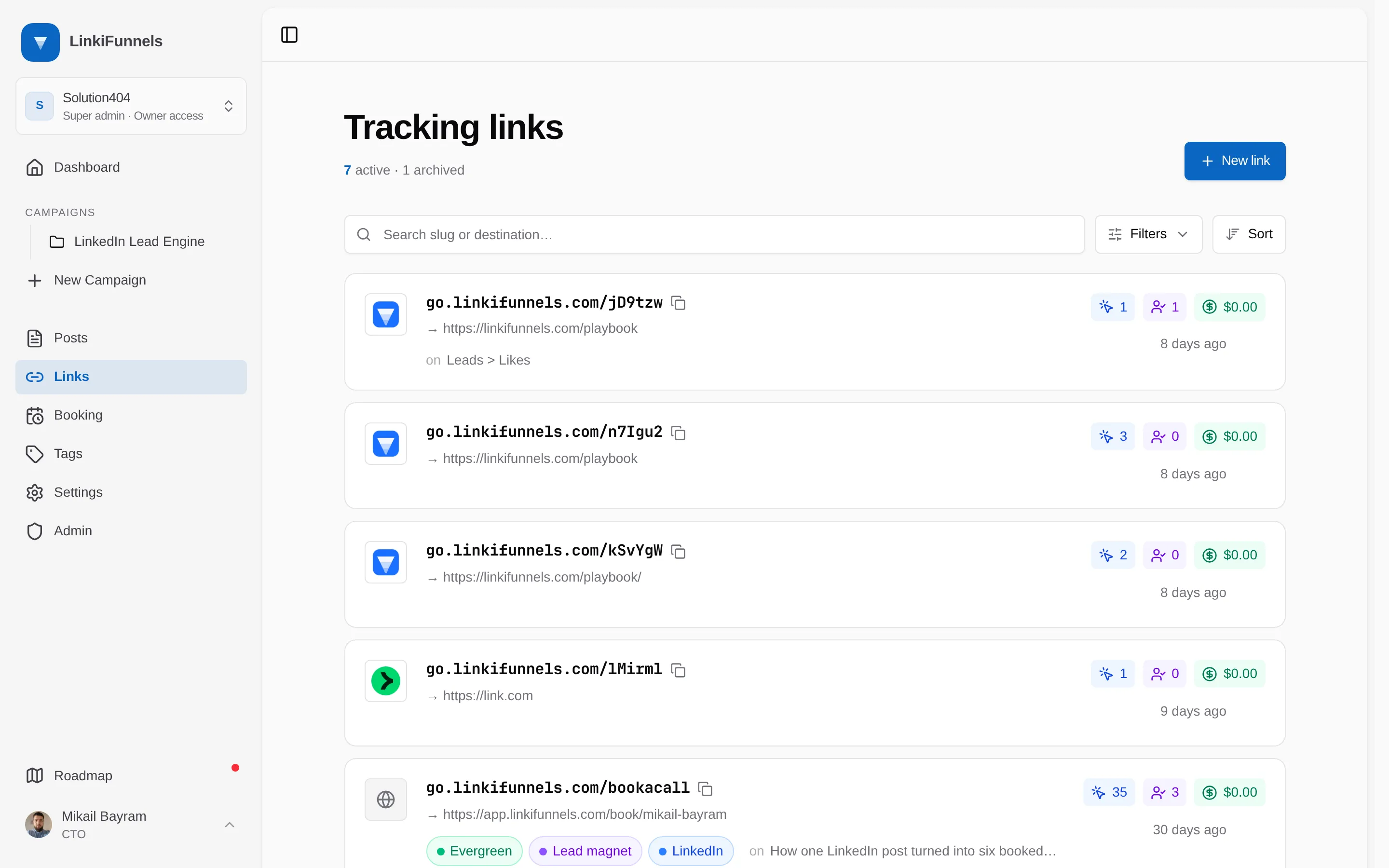
The Links page lists every short link in the workspace with its clicks, leads, and sales. New link sits at the top right.
-
Paste the destination and create the link
Paste the address you want people to end up at, for example
example.com/launch. The protocol is optional. Notes are optional too and useful for remembering where you placed the link. Choose Create link.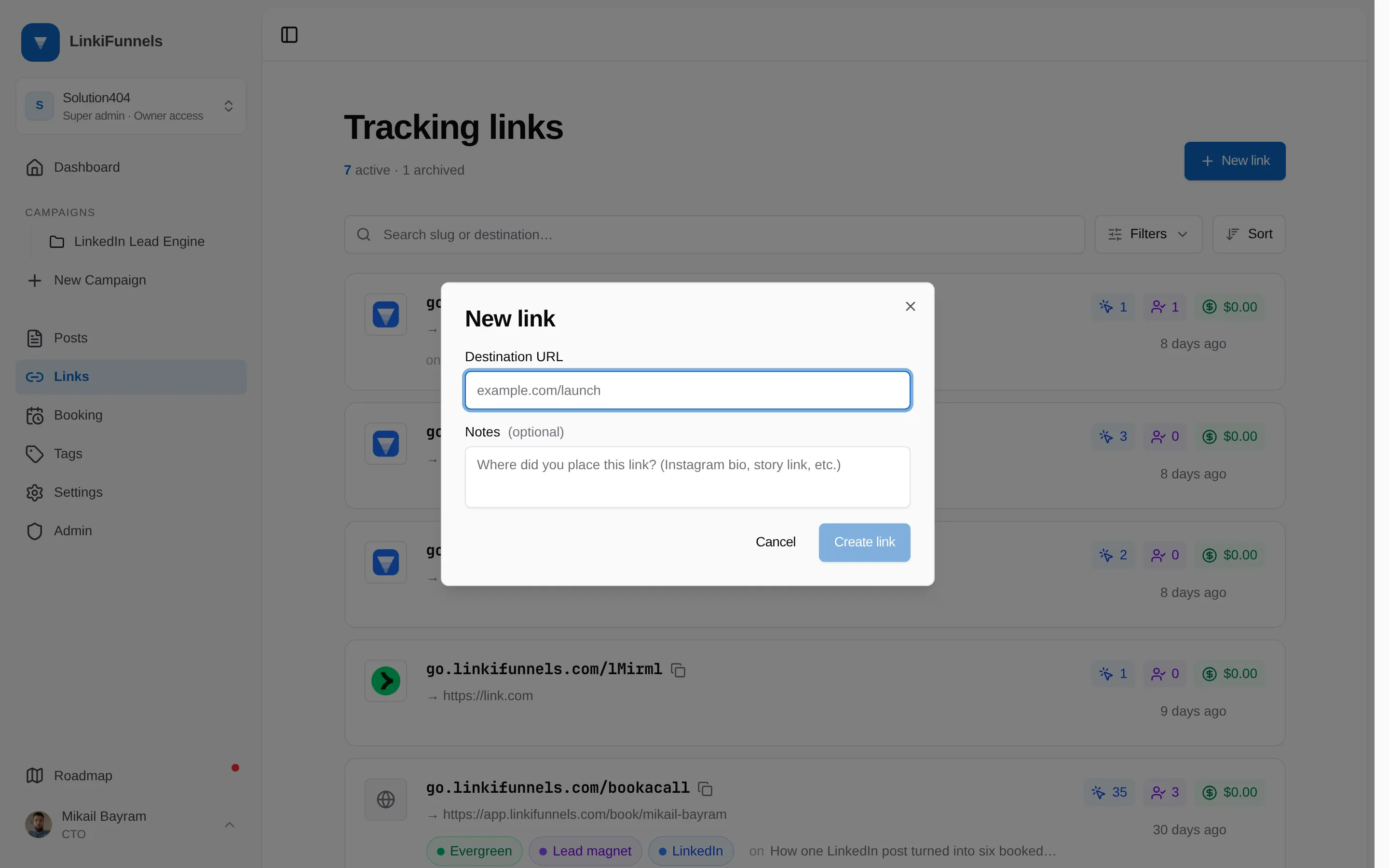
-
Copy the short link and watch the clicks arrive
LinkiFunnels generates a six character slug, for example
go.linkifunnels.com/x7Kq2a. The slug is random and cannot be chosen or changed. Copy the short link and use it anywhere: a LinkedIn post, your bio, a comment, an email. Open the link to see clicks by day, devices, browsers, sources, and countries, plus the leads and sales that came from it.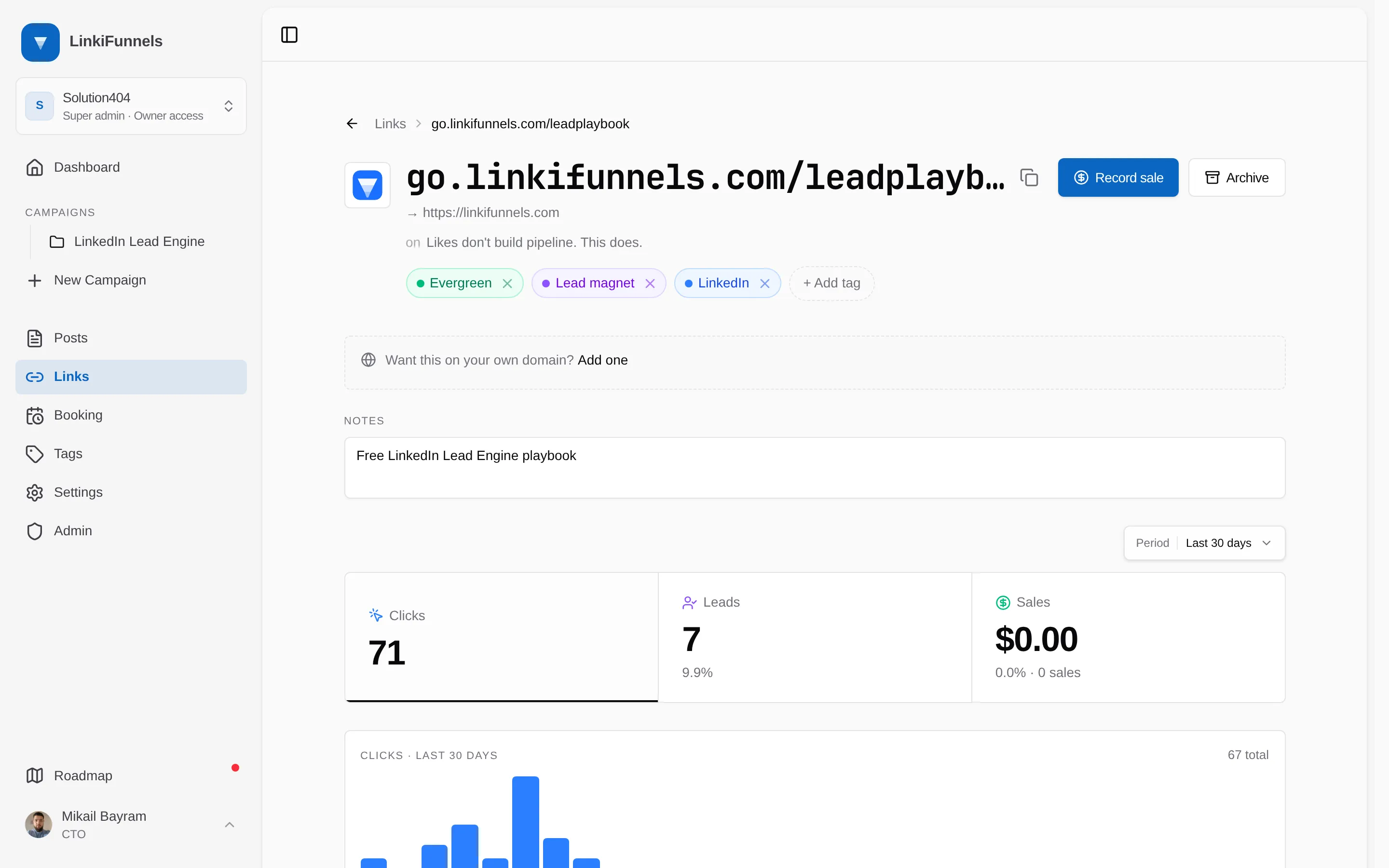
What you cannot change
Section titled “What you cannot change”The destination URL and the slug are fixed once the link exists. If the destination changes, create a new link. You can archive the old one, which makes it stop redirecting with a “gone” response.