Export contacts to CSV
Download the contacts you are looking at, one person, or a campaign's leads, with every column the contact page shows.
There is one export and it always gives you what you are looking at, so “export everything” and “export this segment” are the same button.
Export the list
Section titled “Export the list”Filter and search until the list is what you want, then open the ⋮ menu next to Add contact and choose Export CSV. The count next to it is the number of rows you will get.
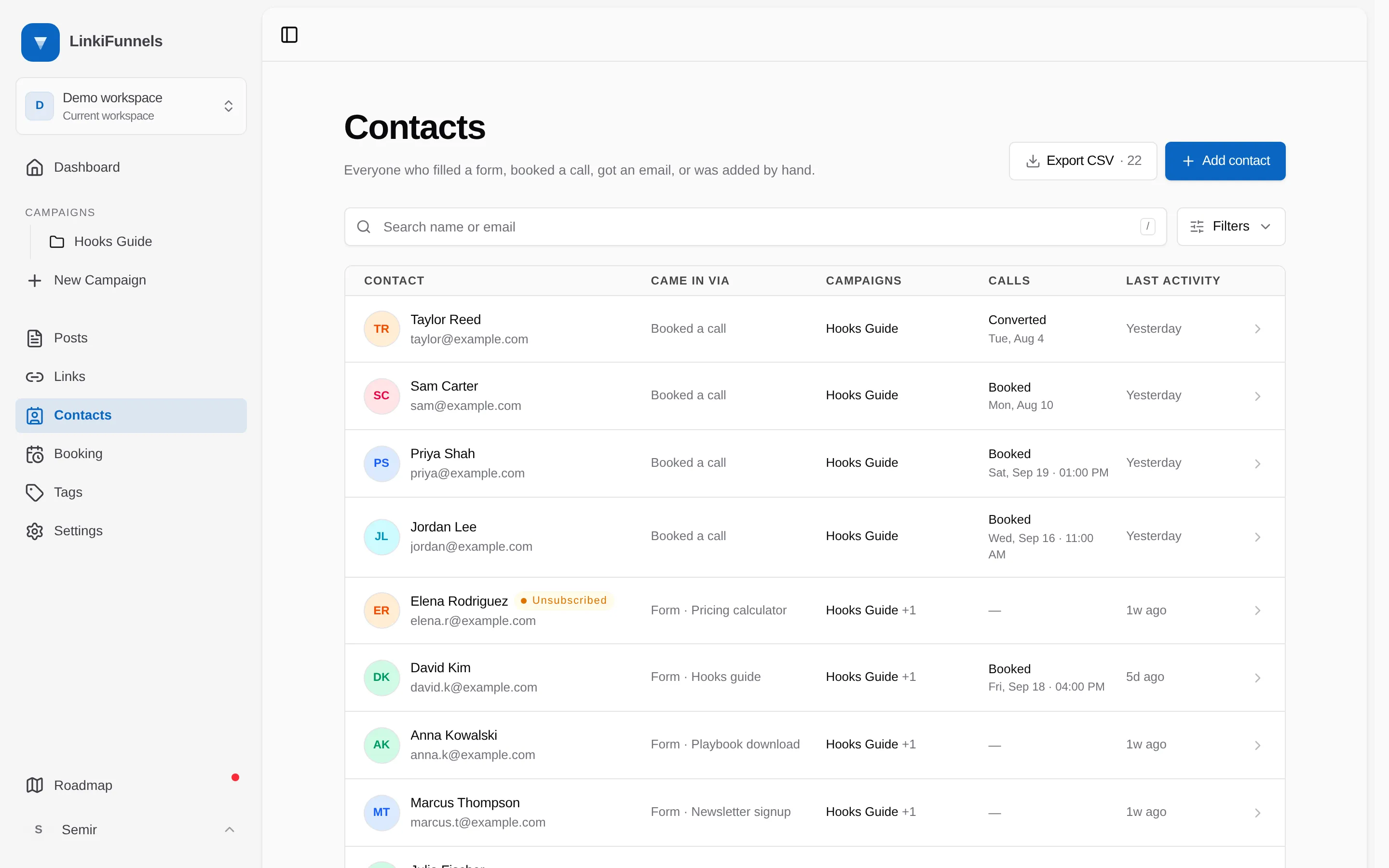
With nothing filtered you get the whole workspace. With a campaign and Booked a call applied, you get the people who booked from that campaign.
Export one contact
Section titled “Export one contact”On a contact’s page, open the ··· menu and choose Export this contact. Same columns, one row.
Export a campaign’s leads
Section titled “Export a campaign’s leads”On a campaign’s Recipients tab, Export CSV offers three scopes with their own counts:
| Scope | Gives you |
|---|---|
| All leads in this campaign | Everyone who touched it: form leads, sales, calls and sequence recipients |
| Enrolled in the sequence | Anyone enrolled, including those who finished it |
| Booked a call | Calls booked from this campaign, not counting canceled ones |
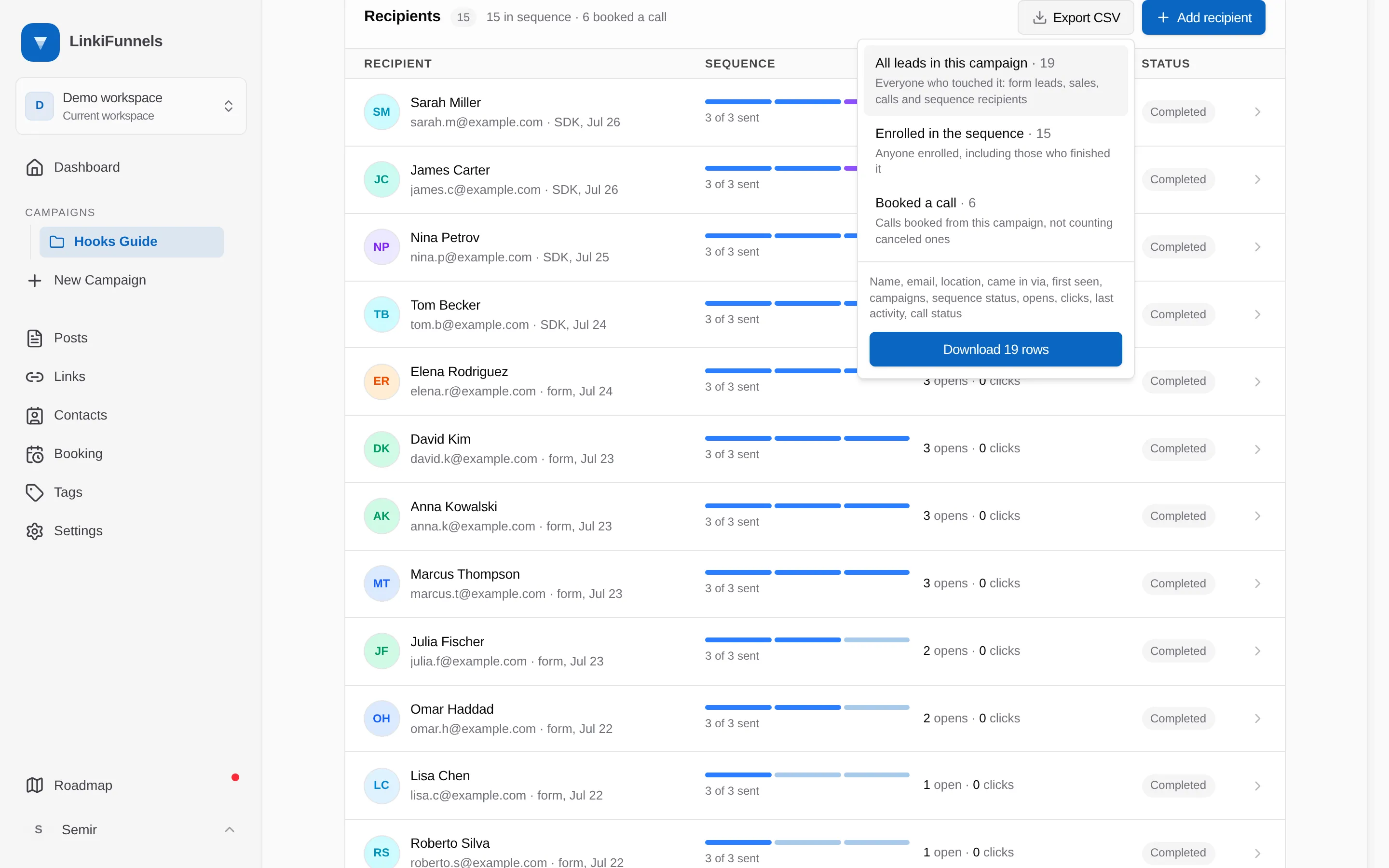
Pick one and the button tells you how many rows it will download.
The columns
Section titled “The columns”Every export has the same twelve columns, in this order.
| Column | Contains |
|---|---|
| Name | Blank when you have never captured one |
| The contact’s address, or your own id for them when there is no address | |
| Location | City and country, from the click or the last email open |
| Came in via | How they first reached you, such as Form · Playbook download |
| First seen | When the contact record was created, as an ISO 8601 timestamp |
| Campaigns | Every campaign they touched, separated by semicolons |
| Sequence status | Their latest enrollment state, or Unsubscribed, Bounced, or Marked as spam |
| Opens | Emails they opened, ignoring bots |
| Clicks | Email links they clicked, ignoring bots |
| Last activity | The most recent thing that happened, as an ISO 8601 timestamp |
| Call status | Their latest call, such as Booked · 2026-09-16T12:00:00Z |
| Tags | Their contact tags, separated by semicolons |
Rows come out newest first, in the same order as the list.