Find and filter contacts
Search by name or email, narrow the list by tag, campaign, activity, calls, sequence or unsubscribes, and keep the result in the page address.
Open Contacts in the sidebar. The list shows everyone in the workspace, newest first, twenty five at a time.
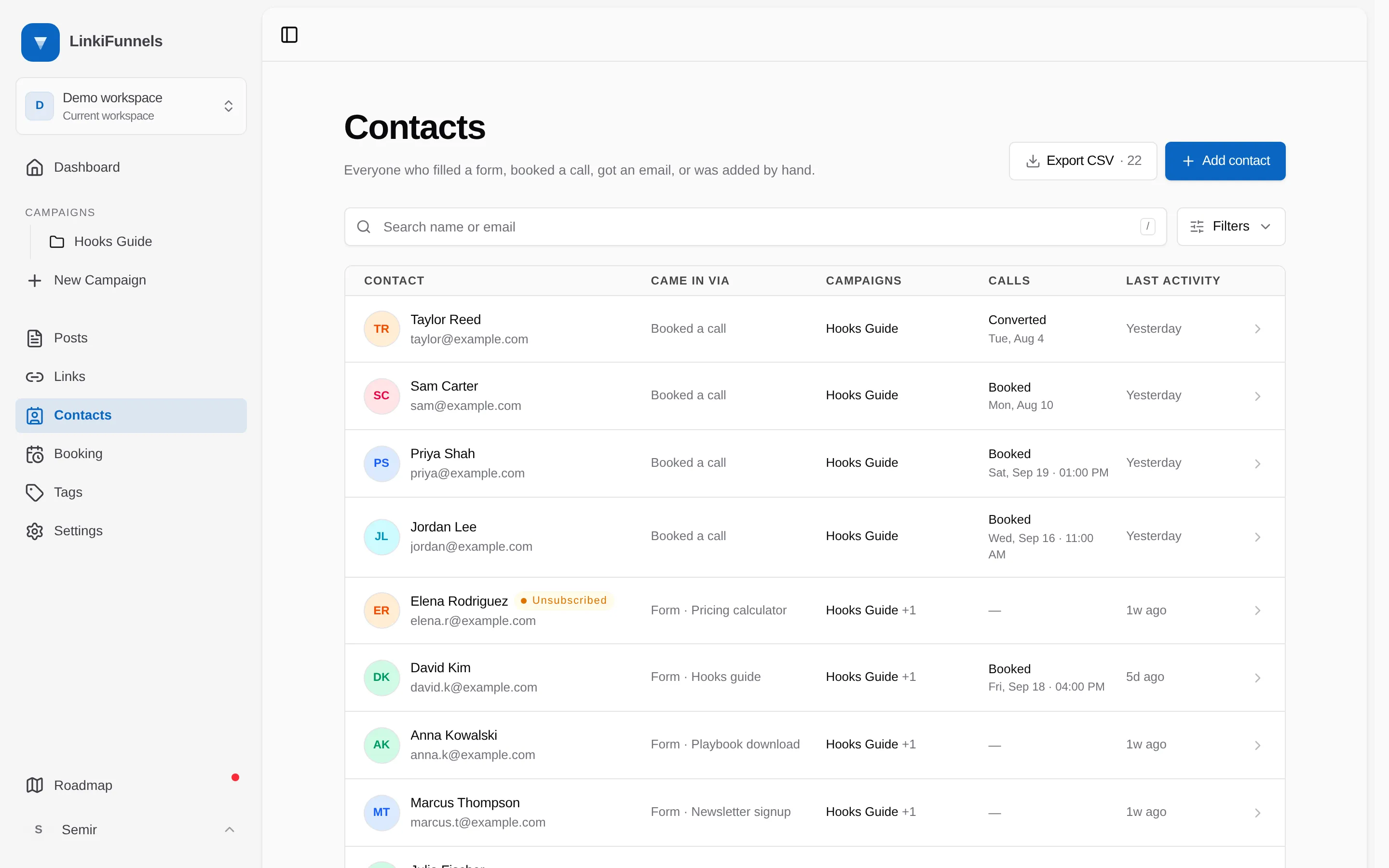
Each row carries the person, how they came in, the campaigns they touched, their latest call, and when they were last active. A pill next to the name marks anyone who unsubscribed, bounced, or marked your email as spam.
Search
Section titled “Search”Type a name or an email address in the search box. Matching is partial and ignores capitals, so petro finds Nina Petrov and @acme finds everyone at that company.
Filter
Section titled “Filter”-
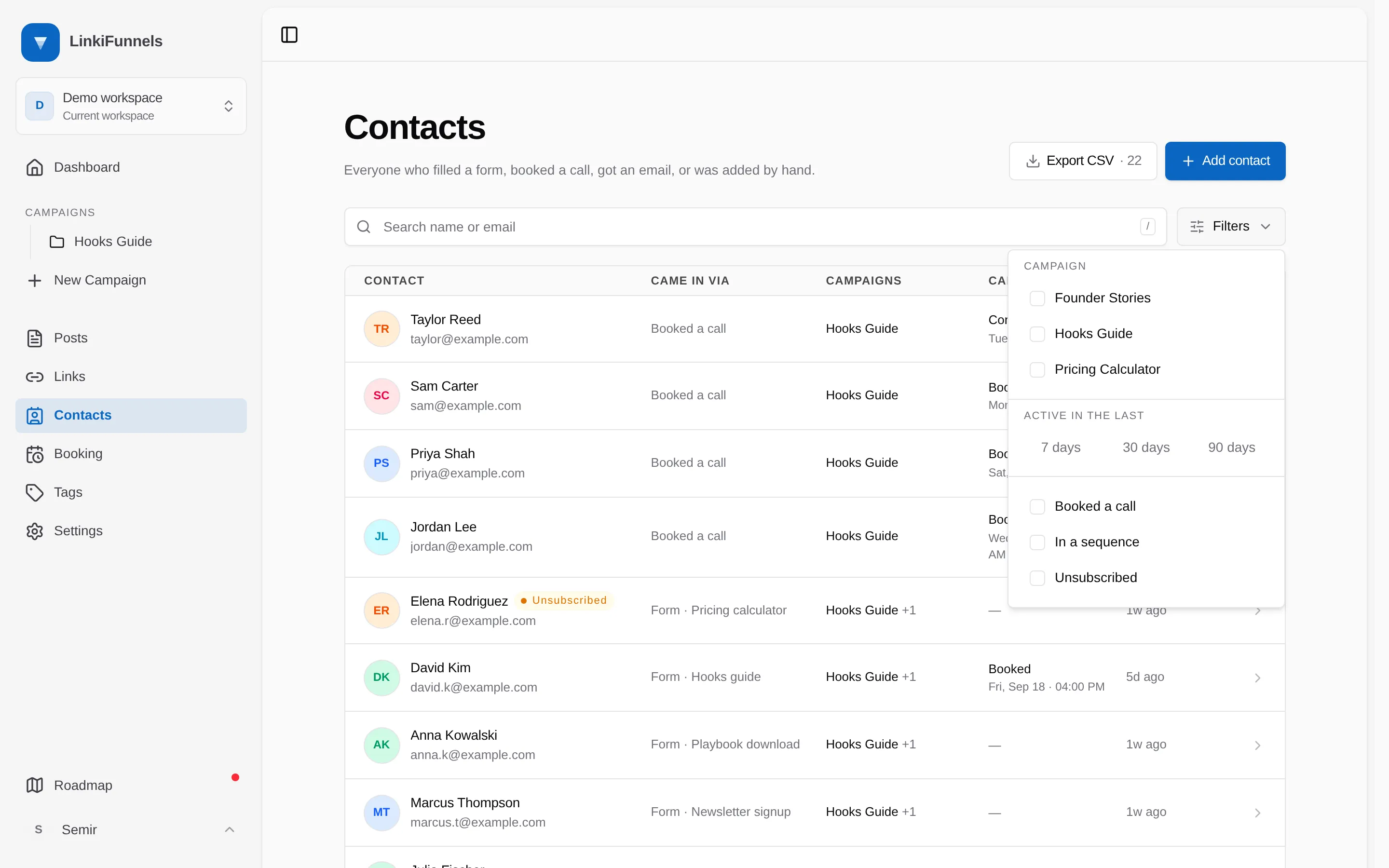
Open Filters
The button sits next to the search box and shows a count when anything is applied.
-
Choose what to narrow by
Filter Keeps Tags Anyone carrying every tag you tick. See Tag contacts Campaign Anyone who touched that campaign, whether through a form, a call, a sale, or its email sequence Active in the last Anyone created in that window, or with a click, form, email open, send, booking or enrollment in it Booked a call Anyone with a call that was not canceled In a sequence Anyone currently enrolled in a campaign’s email sequence, whether it is running or paused Unsubscribed Anyone whose address you can no longer email, including bounces and spam complaints Filters combine. Campaign plus Booked a call gives you the people who booked from that one campaign.
-
Clear what you no longer need
Applied filters appear as chips under the toolbar. Remove one with its ×, or remove all of them with Clear all.
The address bar holds the result
Section titled “The address bar holds the result”Search text, every filter, and the page number live in the page address. You can bookmark a segment you look at often, or paste it to a teammate and they see the same list.
The count is what you are looking at
Section titled “The count is what you are looking at”The number next to Export CSV in the ⋮ menu, and the range in the footer, always describe the filtered list rather than the whole workspace. See Export contacts to CSV.