Publish or schedule a post to LinkedIn
Send a post to LinkedIn straight from the composer, now or at a chosen time, and pull its performance back afterwards.
You need a connected publishing account first. See Connect your LinkedIn account.
Publish now
Section titled “Publish now”-
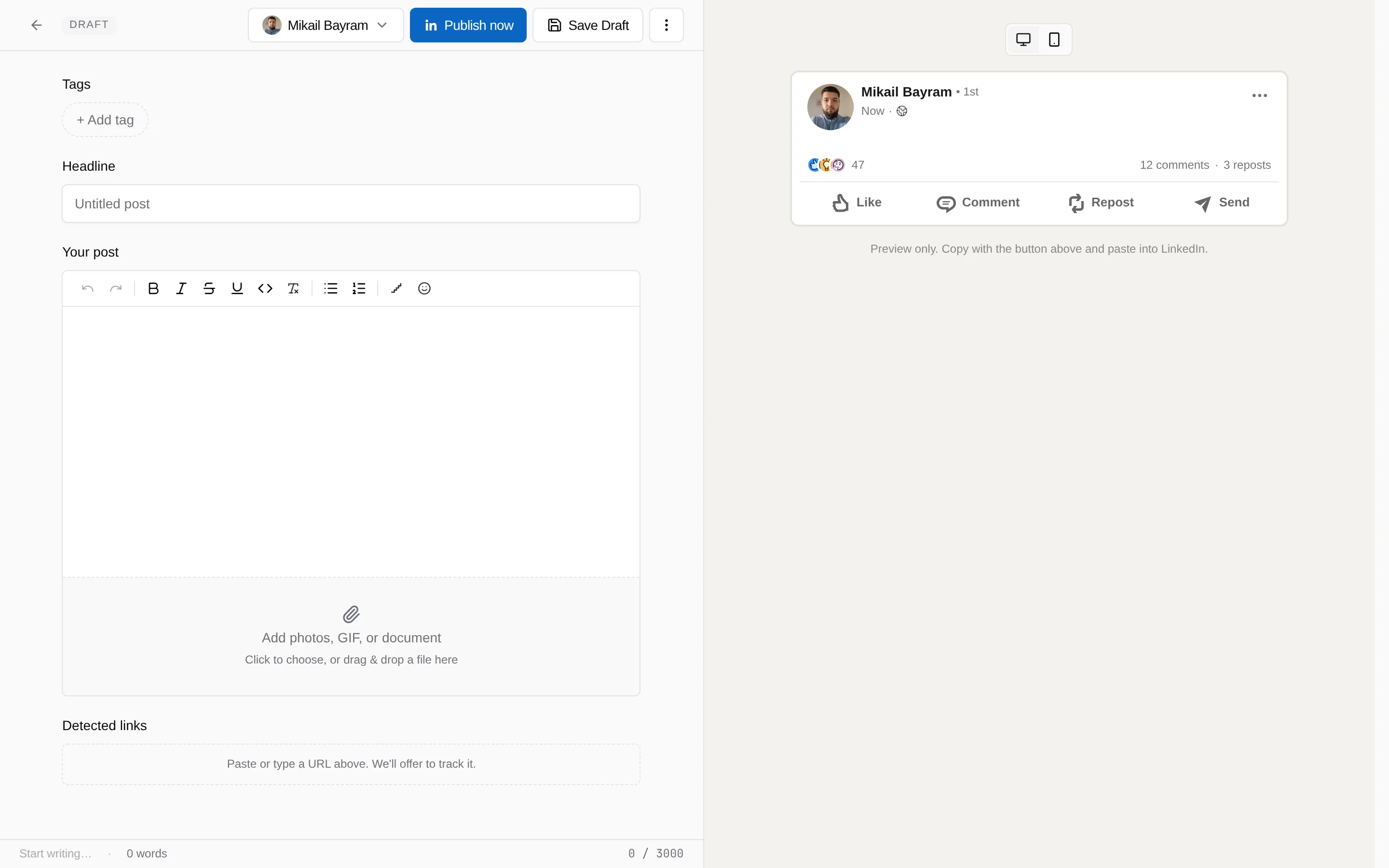
Finish the post and pick the account
The post needs some text. If the workspace has one LinkedIn account it is preselected; otherwise pick one from the account menu in the top bar.
-
Choose Publish now
Media uploads first, then the text. The status updates live in the composer. When LinkedIn confirms, the post is marked published and linked to the LinkedIn URL.
If the connection has expired, LinkiFunnels sends you through the LinkedIn approval and then continues publishing.
Schedule for later
Section titled “Schedule for later”-
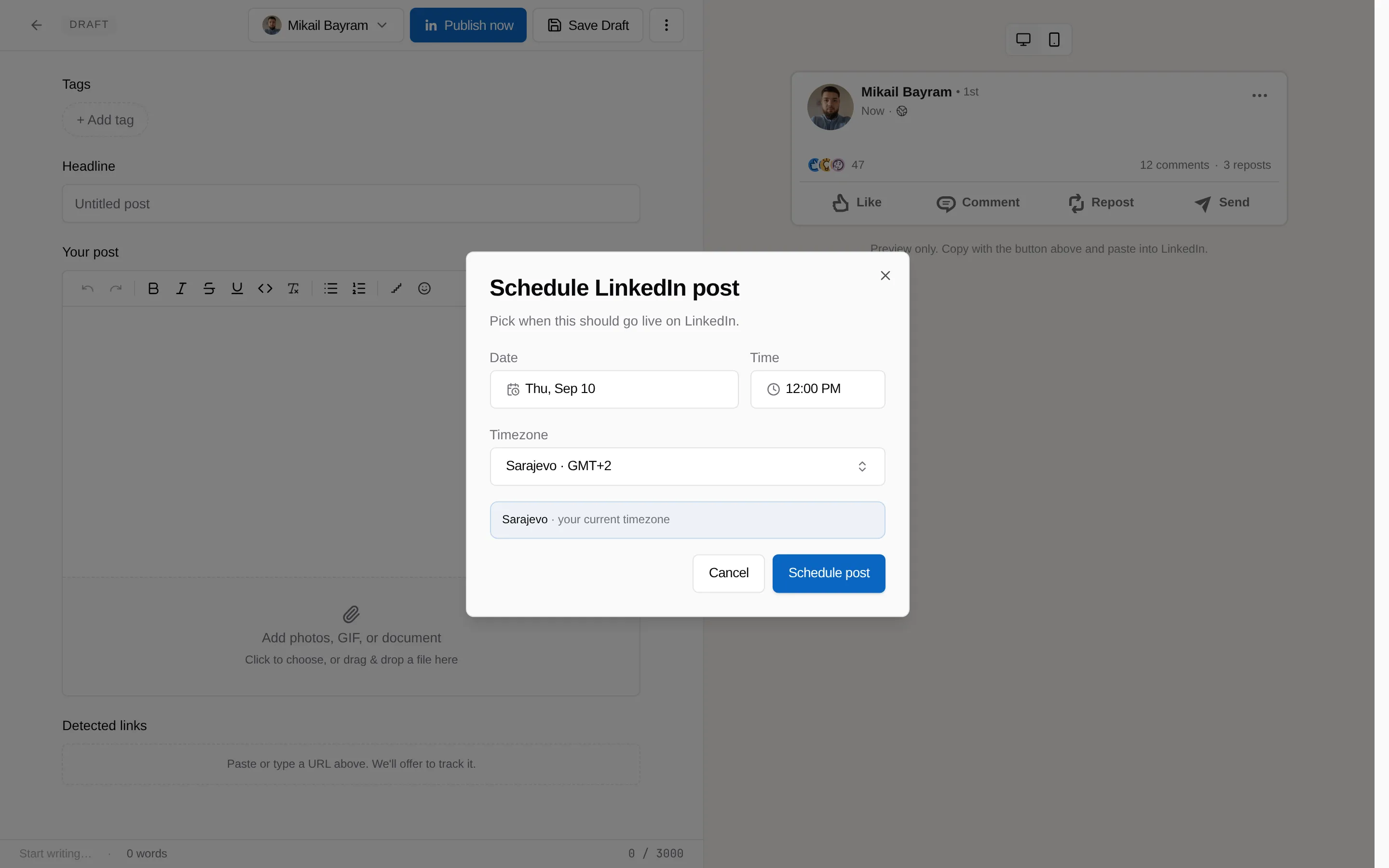
Open the more actions menu and choose Schedule for LinkedIn
-
Pick a date, time, and timezone, then schedule
The time must be in the future. LinkiFunnels checks the schedule every minute and publishes when it is due.
-
Change or remove the schedule
The same menu shows Edit LinkedIn schedule. Removing the schedule keeps the post as a draft.
See how the post performed
Section titled “See how the post performed”Once a post is published through LinkiFunnels, its performance page shows impressions, reactions, comments, and engagement rate from LinkedIn. Choose Sync now to refresh, at most once every 15 minutes. Posts from the last 7 days refresh automatically overnight.
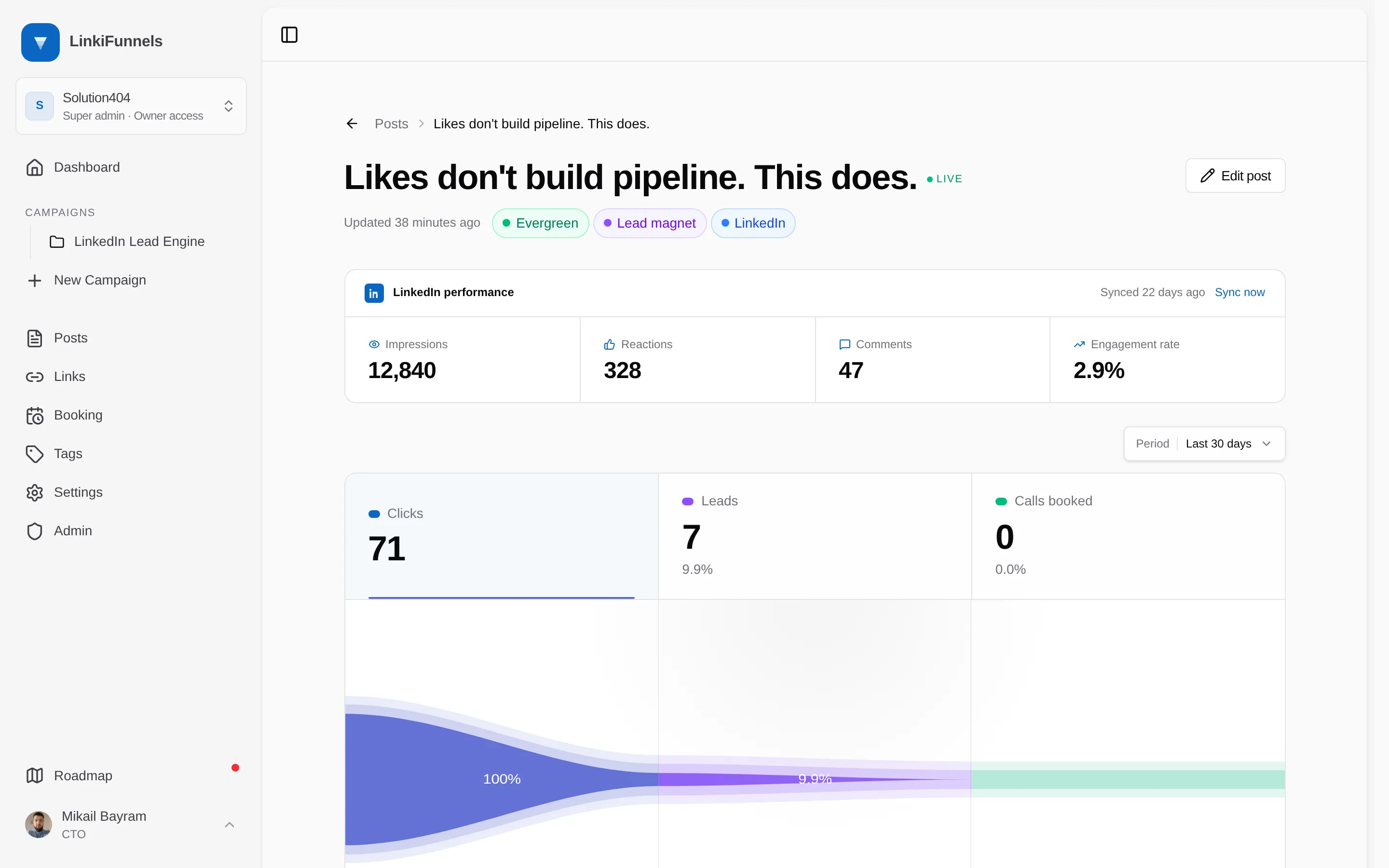
For a post you published on LinkedIn directly, paste its LinkedIn URL on the performance page. Use Copy link to post on LinkedIn so impressions come through as well.