Track off-site CTAs
Record a lead when a visitor clicks a button that leaves your site for WhatsApp, Calendly, or an external checkout, by sending the click through a small redirect on your own domain.
The LinkiFunnels pixel records a lead when someone submits a form on your site. A button that opens WhatsApp, books a Calendly slot, or hands the visitor to a checkout you do not run leaves the site before anything is submitted, so the pixel never sees a lead. The fix is a redirect on your own domain: the button points at a path such as /go/whatsapp, that path records the lead and sends the visitor on, and the visitor notices nothing.
-
Make sure the click id is stored
The redirect reads the click id from the
lf_cidcookie. The LinkiFunnels pixel writes that cookie on the landing page, so if the pixel is installed you are done. Without the pixel, add the cookie script from the developer guide to every page a tracked link can land on. -
Copy the developer guide
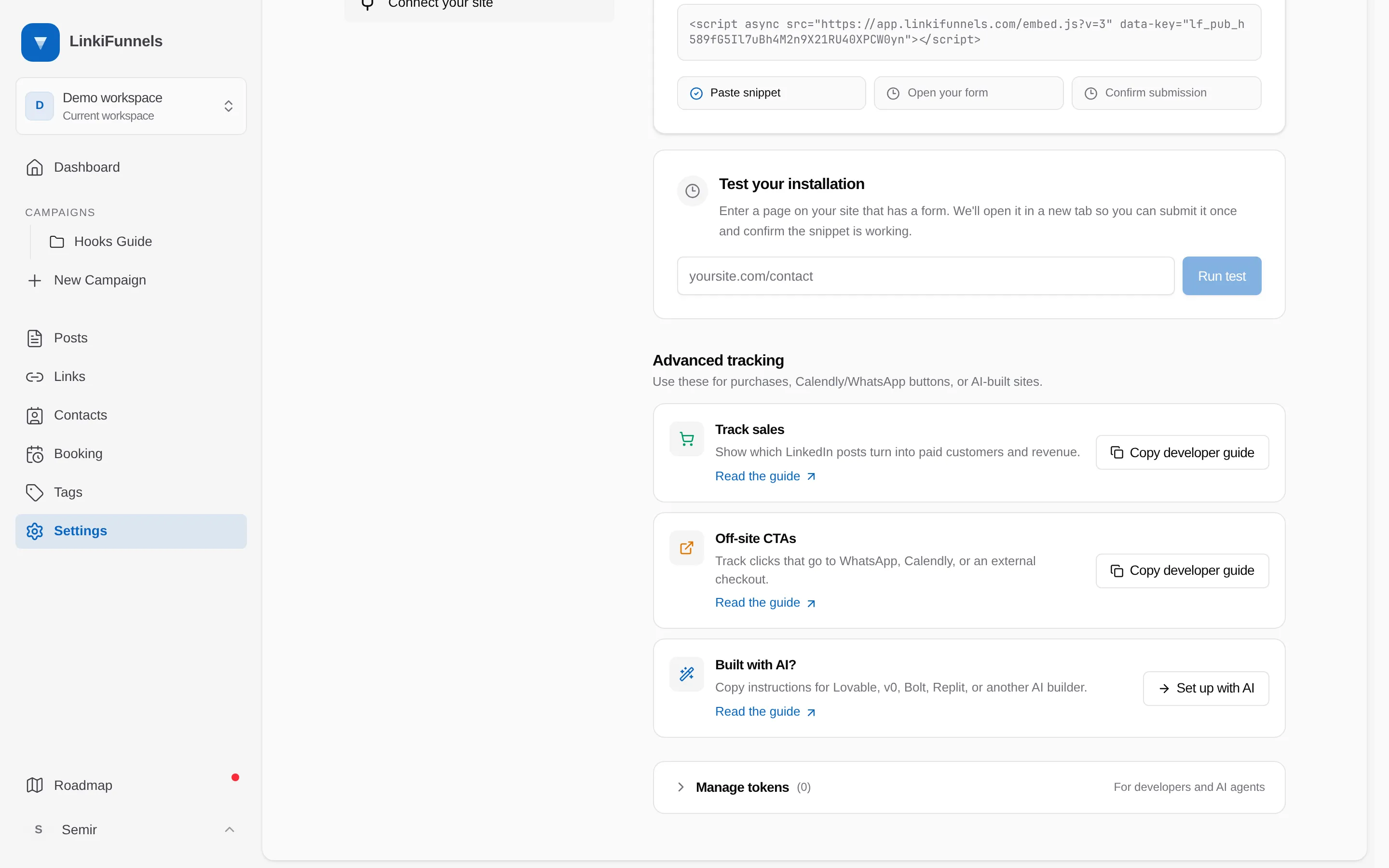
Open Settings, then Connect your site. Under Advanced tracking, choose Copy developer guide on the Off-site CTAs card. The guide holds everything on this page in a form your developer or AI builder can act on, and the page shows a token to hand over when they ask for one.
-
Add the redirect
Create a route on your site that reads the cookie, posts a lead, and redirects. It must run on the same domain as the site. Put the token in an environment variable named
LINKIFUNNELS_API_TOKEN, never in the source.app/go/whatsapp/route.ts export async function GET(request: Request) {const cookie = request.headers.get("cookie") ?? "";const clickId = cookie.match(/(?:^|; )lf_cid=([^;]+)/)?.[1];if (clickId) {await fetch("https://app.linkifunnels.com/api/v1/conversions", {method: "POST",headers: {Authorization: `Bearer ${process.env.LINKIFUNNELS_API_TOKEN}`,"Content-Type": "application/json",},body: JSON.stringify({ event: "lead", click_id: decodeURIComponent(clickId), event_name: "whatsapp" }),});}return Response.redirect("https://wa.me/15551234567", 302);}Bound to the route yoursite.com/go/* export default {async fetch(request, env) {const cookie = request.headers.get("Cookie") ?? "";const clickId = cookie.match(/(?:^|; )lf_cid=([^;]+)/)?.[1];if (clickId) {await fetch("https://app.linkifunnels.com/api/v1/conversions", {method: "POST",headers: {Authorization: `Bearer ${env.LINKIFUNNELS_API_TOKEN}`,"Content-Type": "application/json",},body: JSON.stringify({ event: "lead", click_id: decodeURIComponent(clickId), event_name: "whatsapp" }),});}return Response.redirect("https://wa.me/15551234567", 302);},};netlify/functions/go-whatsapp.mjs export default async (request) => {const cookie = request.headers.get("cookie") ?? "";const clickId = cookie.match(/(?:^|; )lf_cid=([^;]+)/)?.[1];if (clickId) {await fetch("https://app.linkifunnels.com/api/v1/conversions", {method: "POST",headers: {Authorization: `Bearer ${Netlify.env.get("LINKIFUNNELS_API_TOKEN")}`,"Content-Type": "application/json",},body: JSON.stringify({ event: "lead", click_id: decodeURIComponent(clickId), event_name: "whatsapp" }),});}return Response.redirect("https://wa.me/15551234567", 302);};export const config = { path: "/go/whatsapp" };Use one route per destination, or one route that reads the destination from a short allowlist. Never redirect to an arbitrary URL from the query string.
-
Point the button at the route
Change the CTA’s
hreffromhttps://wa.me/...to/go/whatsapp. Do the same for the Calendly link and any external checkout button. -
Test it
Open one of your tracked links, land on the site, then click the CTA. Within a few seconds the lead appears on the post’s performance page with the event name you chose. If nothing arrives, check that the route is on the same domain as the page and that the cookie exists in the browser’s storage panel.
When the pixel is also installed
Section titled “When the pixel is also installed”The pixel keeps recording form submissions as leads on its own. Use the redirect only for buttons that leave the site. If the same visitor both clicks the CTA and fills a form, the two leads share one click id and show up as two events on the same contact; that is expected, and the sale you record later ties to the contact, not to either lead.
Want the lead to count as a booking or a sale instead?
Section titled “Want the lead to count as a booking or a sale instead?”For Calendly and similar tools, event: "lead" with an event_name such as calendly is the honest record: the click shows intent, not a confirmed call. If you want confirmed bookings attributed to posts, use LinkiFunnels booking pages, which are attributed automatically. For an external checkout that sends you a webhook, record the sale from the webhook as described in Record a conversion via the API.