Read campaign performance
The clicks, leads, calls booked, and revenue funnel on a campaign, what each stage counts, how to drill into a stage, and how to hide the stages you do not use.
Open a campaign. The Performance tab is the first thing you see.
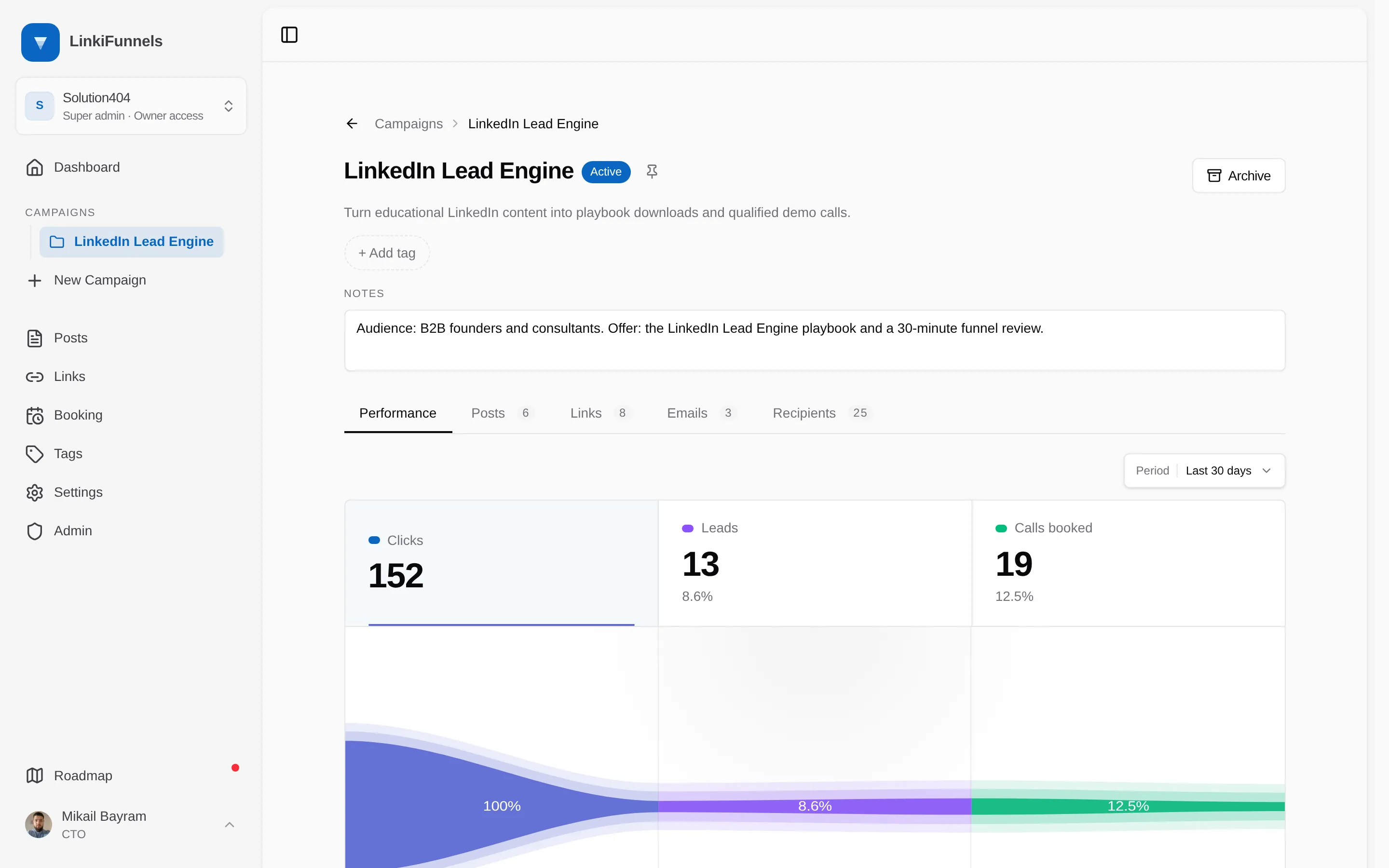
The funnel
Section titled “The funnel”| Stage | Counts | Rate shown |
|---|---|---|
| Clicks | Human clicks on every tracked link in the campaign | |
| Leads | Leads captured after those clicks, through your site’s forms, the API, or a booking | Leads as a share of clicks |
| Calls booked | Bookings made after clicking a campaign link or from a campaign email, minus canceled calls and rescheduled no-shows | Calls as a share of clicks |
| Revenue | The value of sales attributed to this campaign, from the API or recorded by hand, with the number of sales underneath | Sales as a share of clicks |
Click a stage to switch the daily chart and the recent activity feed to it. The date range at the top applies to everything on the tab.
Hide stages you do not use
Section titled “Hide stages you do not use”Not every campaign books calls or closes revenue. Open the three-dot menu in the top right corner of the funnel and untick Calls booked or Revenue. The stage disappears from the funnel on every campaign and post in the workspace. Nothing else changes: bookings and sales keep recording, list totals still show them, and ticking the stage again brings the numbers back.
Breakdowns
Section titled “Breakdowns”For clicks, two cards split the total: Behavior by device, browser, operating system, and source, and Location by country. Leads and calls are attributed to the click that produced them, so the same cards work for those stages too.
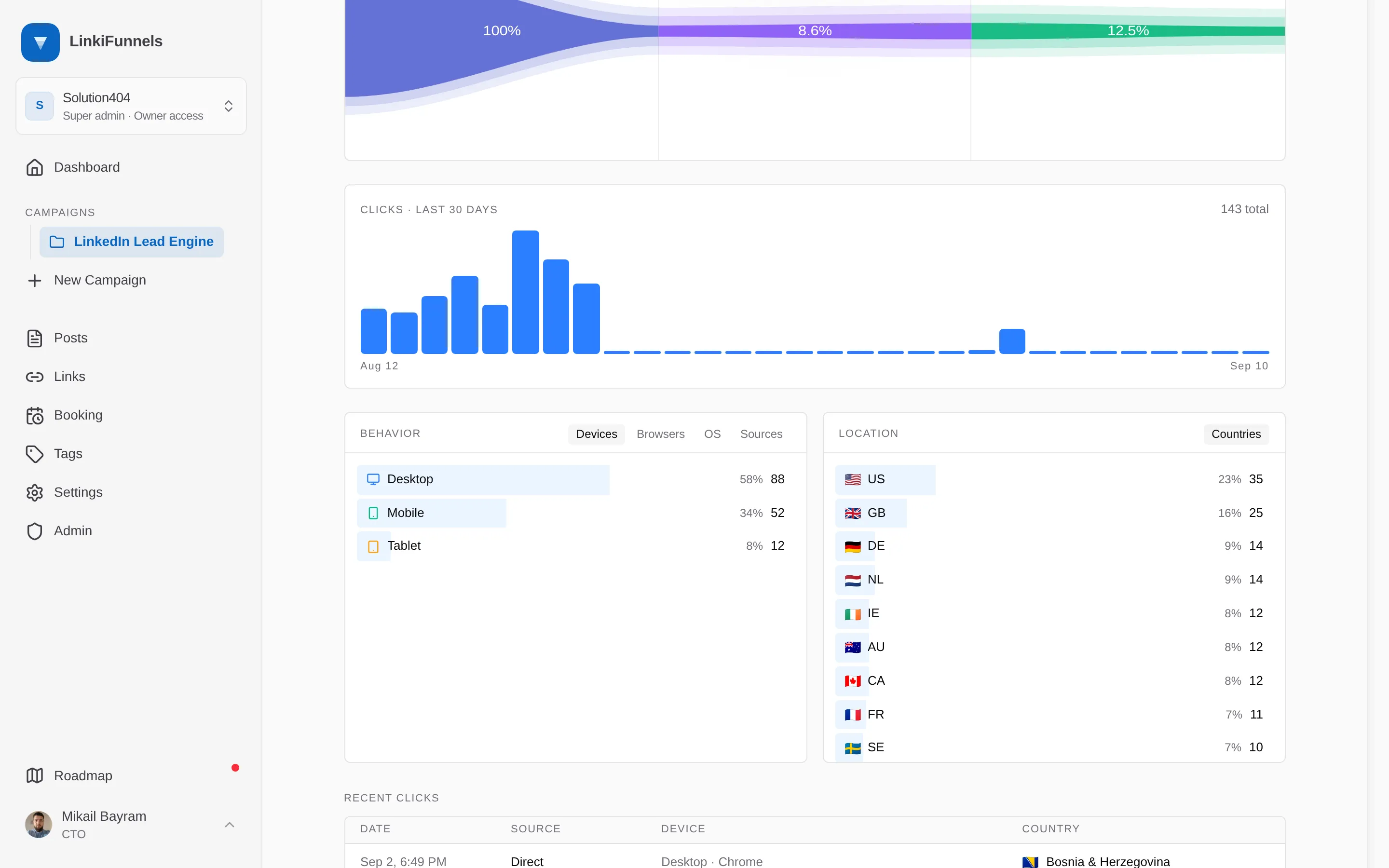
Recent activity
Section titled “Recent activity”The feed under the chart follows the selected stage. For leads it lists the date, event, customer, email, and country, and a dollar icon on each row opens the sale form with that person already filled in. For revenue it lists each sale with the customer behind it and the amount, and a Record sale button sits above the list.
Where the numbers come from
Section titled “Where the numbers come from”Campaign totals are the sum over the campaign’s links, plus sales recorded by hand directly on the campaign or on one of its posts. A click on a link that is not attached to a post in this campaign is not counted here, even if the post talks about the same offer. See How clicks are counted for what is filtered.