Follow up with emails from a campaign
Every campaign has its own email sequence. Leads that come through the campaign's links are enrolled automatically, and the campaign is where you write, publish, and watch it.
Emails in LinkiFunnels are not sent from a list you upload. They are sent from a campaign, to the people that campaign produced. Someone clicks a tracked link in one of the campaign’s posts, leaves their email on your site or books a call, and from that moment they are a recipient of this campaign’s sequence.
-
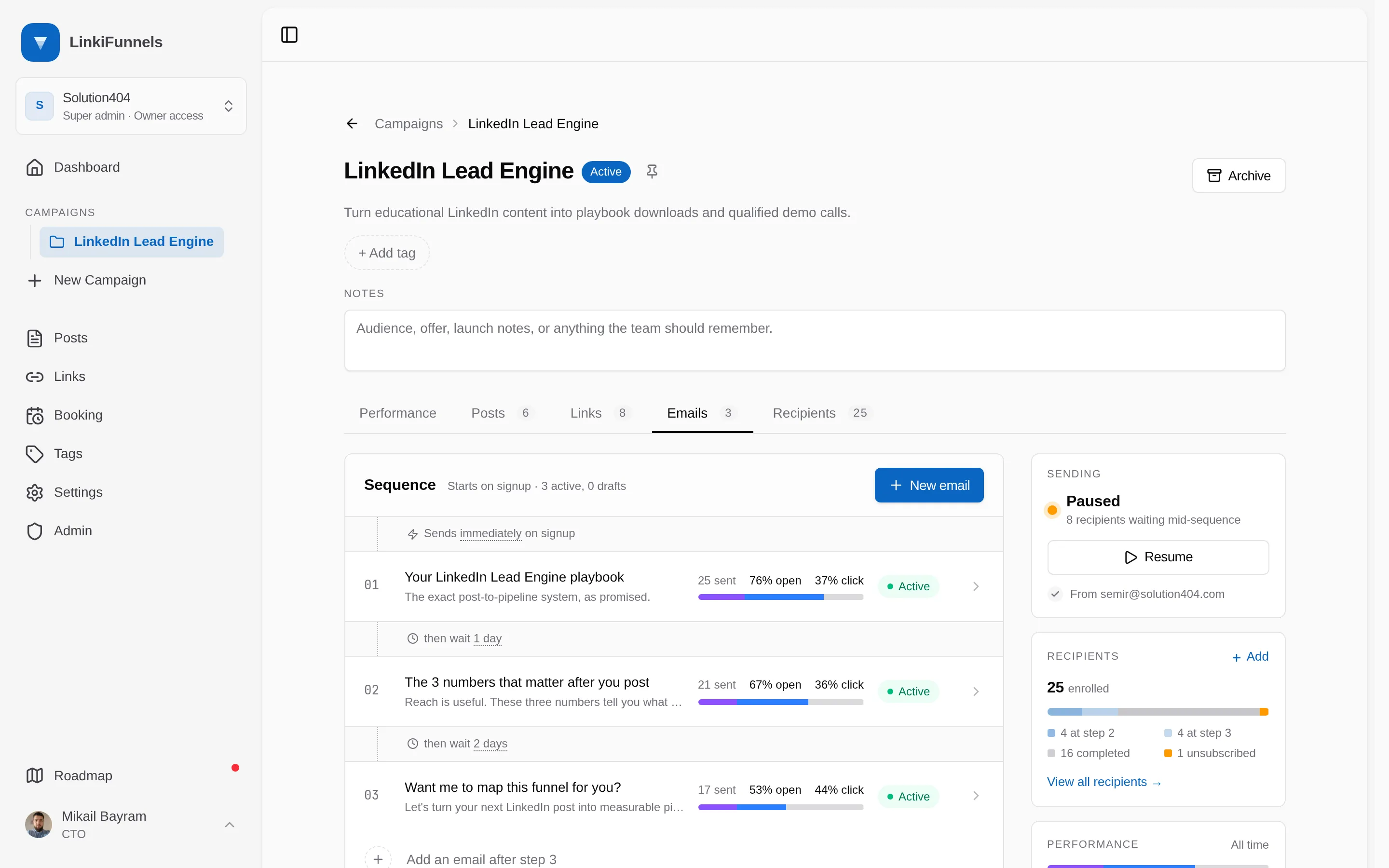
Open the campaign’s Emails tab
The tab shows the sequence top to bottom: each email, the wait before it, how many were sent, and open and click rates. New email adds a step at the end.
-
Write and activate the emails
Each email is a draft until you switch it to Active. Drafts are skipped. Writing, testing, and personalization are covered in Send your first campaign email.
-
Publish the sequence
Publish makes it live. New leads are enrolled as they arrive; you can also enroll the leads the campaign already has. Pause stops sending and keeps everyone’s place. Publishing needs a verified sending domain on the workspace; drafting does not.
-
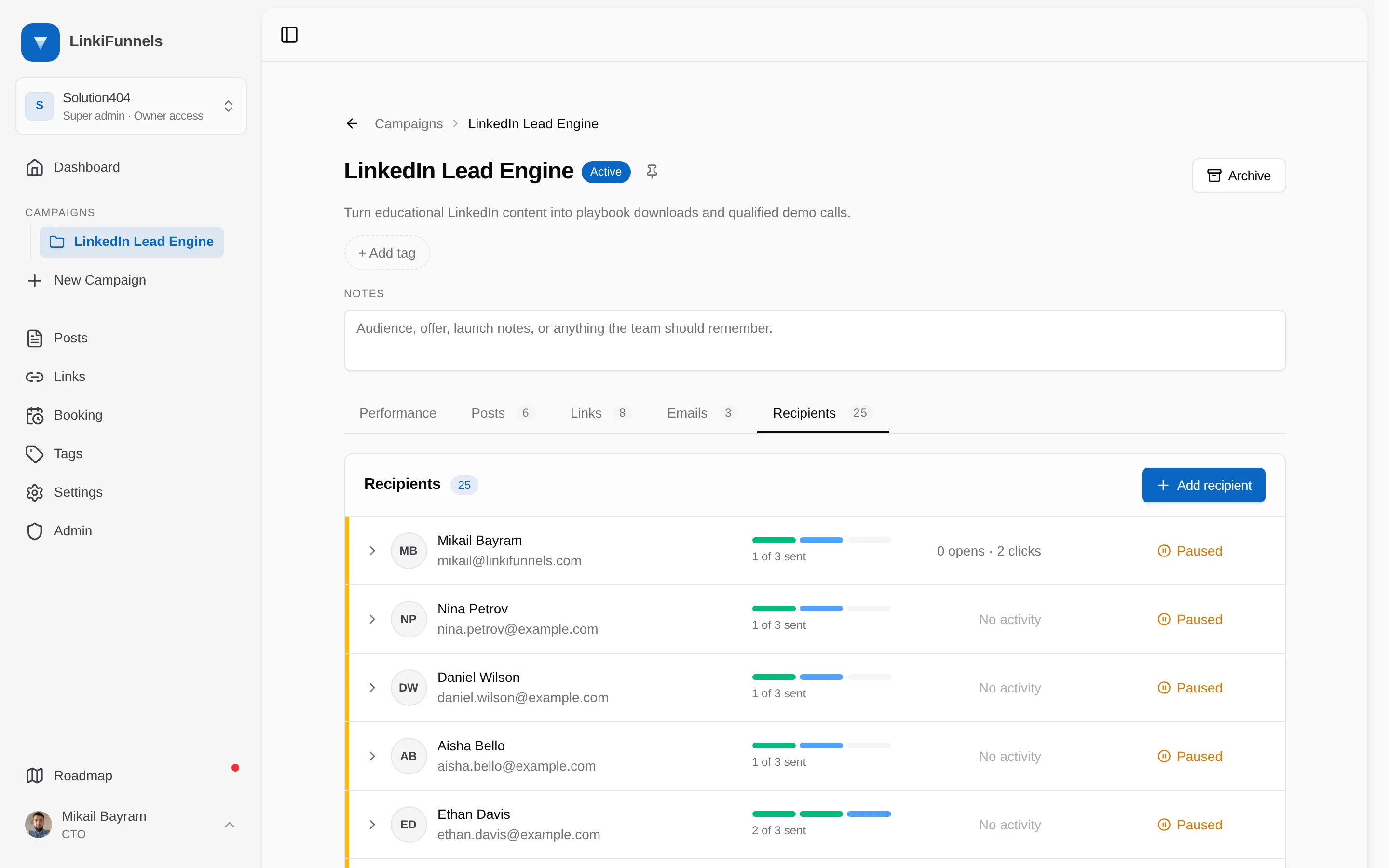
Watch the Recipients tab
Every lead in the sequence, with the step they are at, who completed, who unsubscribed, and who is blocked because there is no active next email. Add recipients lets you pick contacts from a list you can search and filter by tag, or add someone new by email.
Who becomes a recipient
Section titled “Who becomes a recipient”A sequence is not only for people your links capture. Anyone you know can be added, by hand or through the API.
| Source | Enrolled |
|---|---|
| A lead captured on your site after clicking a link in this campaign | Yes, when the sequence is live and at least one email is active |
| A call booked after clicking a link in this campaign | Yes, on the same terms |
| Someone you add by hand on the Recipients tab or from their contact page | Yes, joining at 50 a day with the rest queued |
| Contacts you select in Add recipients, such as everyone with a tag from a CSV import | Yes, on the same 50 a day |
| Someone your backend adds through the campaign leads API | Yes |
| A lead from a link in another campaign | No. Each campaign has its own sequence and recipients |
| Someone who unsubscribed or bounced anywhere in the workspace | Never |